6 Days Online Basic to Advance Excel Certification Course
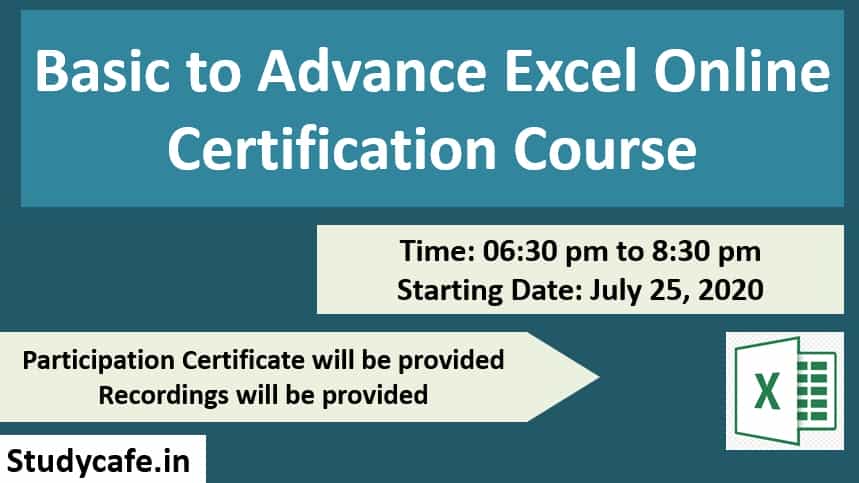
Studycafe is happy to invite you for 6 Days Online Basic to Advance Excel Certification Course . Time: 07:00 pm to 09:00 pm Days: May 20, 20
 Pratibha Goyal
 Jul 20, 2020
Studycafe is happy to invite you for 6 Days Online Basic to Advance Excel Certification Course.
 Day 1: Data Cleansing & Date related Calculation Functions:
Alt Function, Excel Smart Shortcuts, Edit Tool Bar, Randomdata, Smart Copy Paste, Smart Paste special, Transpose, now, date function, Format Cell, Concatenate, Trim & Clean, Proper, Upper, Lower, Left, Right, Mid & Len, Filter, Advanced Filter, Format Painter.
Day 2: Advanced Features in Excel:
Concatenate & Text Join, Giving password to excel and back up, Advance Find & Replace, Smart Sorting, Skip Blank, TDS Working Checklist,
Day 3: Advanced Excel Functions:
Text to Columns, Flash Fill, Remove Duplicate, Data Validation, Consolidation, Conditional Formatting, if functions, Goto Special, Recording of Macros in Excel, Macro of Spell Number, etc.
Day 4: Advanced Excel Functions:
Calculate Drs Ageing, Sumif, Sumifs, Advance Subtotal, Iferror, Match Function, Vlookup, IF Error+Vlook up, IFError+Vlookup, Hlookup, Xlookup
Day 5: Advanced Excel Functions:
Table, Pivot Table, Sparkline Chart, Use of Onedrive and Google Sheet, Preparation of Balance Sheet from the trial.
Day 6: Advanced Excel Functions:
Relative Size factor Theory (RSF) in Excel to identify red flags or fraudulent transactions in audit, CFO or Management Dashboard, Extract data in Excel from NET, Excel worksheet to corporate (or Tally) database & extract any data that you want, Connect your Excel worksheet to live data on the Internet to track (for e.g.) the current value of investments
Regards
CA Deepak Gupta
+91 8860779306
Day 1: Data Cleansing & Date related Calculation Functions:
Alt Function, Excel Smart Shortcuts, Edit Tool Bar, Randomdata, Smart Copy Paste, Smart Paste special, Transpose, now, date function, Format Cell, Concatenate, Trim & Clean, Proper, Upper, Lower, Left, Right, Mid & Len, Filter, Advanced Filter, Format Painter.
Day 2: Advanced Features in Excel:
Concatenate & Text Join, Giving password to excel and back up, Advance Find & Replace, Smart Sorting, Skip Blank, TDS Working Checklist,
Day 3: Advanced Excel Functions:
Text to Columns, Flash Fill, Remove Duplicate, Data Validation, Consolidation, Conditional Formatting, if functions, Goto Special, Recording of Macros in Excel, Macro of Spell Number, etc.
Day 4: Advanced Excel Functions:
Calculate Drs Ageing, Sumif, Sumifs, Advance Subtotal, Iferror, Match Function, Vlookup, IF Error+Vlook up, IFError+Vlookup, Hlookup, Xlookup
Day 5: Advanced Excel Functions:
Table, Pivot Table, Sparkline Chart, Use of Onedrive and Google Sheet, Preparation of Balance Sheet from the trial.
Day 6: Advanced Excel Functions:
Relative Size factor Theory (RSF) in Excel to identify red flags or fraudulent transactions in audit, CFO or Management Dashboard, Extract data in Excel from NET, Excel worksheet to corporate (or Tally) database & extract any data that you want, Connect your Excel worksheet to live data on the Internet to track (for e.g.) the current value of investments
Regards
CA Deepak Gupta
+91 8860779306
- Time: 07:00 pm to 09:00 pm
- Days: May 20, 2020, to May 25, 2020
- Recording of All the Session will be provided
- Certificate to be provided to all the participants. Certificates will be sent on your email id.
- Speaker: CA Deepak Gupta
Day 1: Data Cleansing & Date related Calculation Functions:
Alt Function, Excel Smart Shortcuts, Edit Tool Bar, Randomdata, Smart Copy Paste, Smart Paste special, Transpose, now, date function, Format Cell, Concatenate, Trim & Clean, Proper, Upper, Lower, Left, Right, Mid & Len, Filter, Advanced Filter, Format Painter.
Day 2: Advanced Features in Excel:
Concatenate & Text Join, Giving password to excel and back up, Advance Find & Replace, Smart Sorting, Skip Blank, TDS Working Checklist,
Day 3: Advanced Excel Functions:
Text to Columns, Flash Fill, Remove Duplicate, Data Validation, Consolidation, Conditional Formatting, if functions, Goto Special, Recording of Macros in Excel, Macro of Spell Number, etc.
Day 4: Advanced Excel Functions:
Calculate Drs Ageing, Sumif, Sumifs, Advance Subtotal, Iferror, Match Function, Vlookup, IF Error+Vlook up, IFError+Vlookup, Hlookup, Xlookup
Day 5: Advanced Excel Functions:
Table, Pivot Table, Sparkline Chart, Use of Onedrive and Google Sheet, Preparation of Balance Sheet from the trial.
Day 6: Advanced Excel Functions:
Relative Size factor Theory (RSF) in Excel to identify red flags or fraudulent transactions in audit, CFO or Management Dashboard, Extract data in Excel from NET, Excel worksheet to corporate (or Tally) database & extract any data that you want, Connect your Excel worksheet to live data on the Internet to track (for e.g.) the current value of investments
Regards
CA Deepak Gupta
+91 8860779306About Author


Pratibha Goyal
Admin
This Account belongs to Admistrator of Studycafe.
This Account belongs to Admistrator of Studycafe.
 Studycafe
 Delhi, Delhi, India
 1080
1080My Recent Articles
- Chartered Accountants Association Embraces Income Tax Faceless Proceedings
- CBDT condones delay in filing form 10IC for AY 20-21: Know upto when to file the form to take concessional tax benefit
- ICAI Announced date of Live Coaching Classes for CA Intermediate Nov 2022 Exam
- ICAI Announced Registration Date for Online Home-Based Practical Training Assessment
- ICAI Released Mock Test Papers Series for May 2022 CA Exam
Up Next
Loading suggestions…


Recent Posts

All Posts
Tags
No tags yet.
Recent Posts
All Posts
Tags
No tags yet.