E-Way Bill Registration
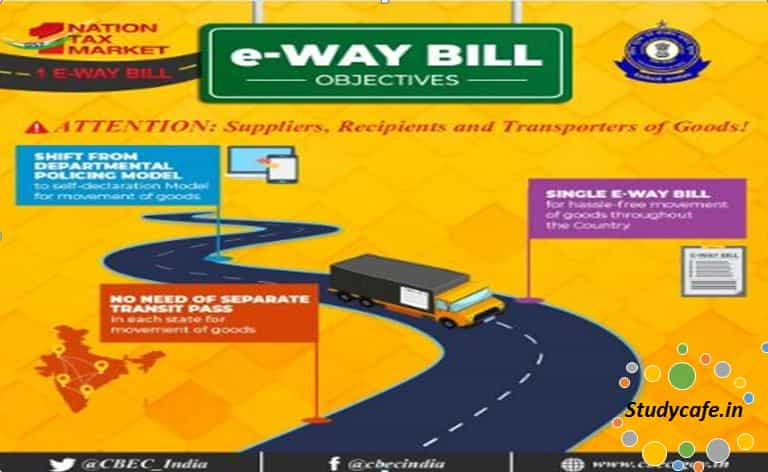
E-Way Bill Registration: The URL for the e-way bill system for the whole nation is http://ewaybill.nic.in . The same URL will be used for bo
 CA Deepak Gupta
 Jan 17, 2018
E-Way Bill Registration:
The URL for the e-way bill system for the whole nation is
http://ewaybill.nic.in .
The same URL will be used for both the trial run(16-01-2018 to 31-01-2018) and final roll out(01-02-2018 onwards).
However, the tax payers should know that the e-way bills generated upto 31.01.2018 (during trial run) would not be used by the department for any purpose. Hence, the tax payers can register, practice and use the system without any problem.
Also once you are getting registered in trial period, you don't need to get registered after final roll out i.e. after 1st Febuarary 2018. Hence all the traders/dealers/transporters are advised to enroll themselves in trial period so as to avoid last minute hustle.
Refer below video for Registration on E way Bill Portal
https://youtu.be/t7dZGyQZZ4E
Registering by Taxpayers on the e-Way Bill System
To do that the taxpayer needs to have the GSTIN issued under the GST system and mobile number registered with the GST system with him.
On the e-Way Bill portal i.e. http://ewaybill.nic.in, a first time GSTIN can register by clicking on the e-way bill Registration link. Then the user will be redirected to the e-Way Bill Registration Form. The registration form is
shown below.
You May Also Like: All About Electronic Way Bill in GST E-way bill trial run starts today: E-way bill trial run from 16th Jan 2018 E WAY BILL A BIG BOOST FOR EASE OF DOING BUSINESS
TAGS:e way bill, gst e way bill format, e-waybill format, e way bill format pdf, e way bill in rajasthan, form gst ins-01, E-Way Bill Registration, How to doE-Way Bill Registration,E-Way Bill Registration Process, how to register for E way bill,
E-Way Bill Registration
The user needs to enter his/her GSTIN number & after clicking on go he will be directed to next page which will be as follows: Once requisite details are filled OTP will be received on User's Mobile Number. After verification & Validation of OTP User may choose his ID & Password. Username should be about 8 to 15 alphanumeric characters and can include special characters . Enrollingby GST un-registered transporters Un-registered transporters needs to enroll on this system by providing his business details. After authenticating these details, the system generates the 15 characters of Transporter ID and user credentials for him. The enrolment form asks for his PAN details, business type, business place, Aadhar authentication. On selecting the Enrollment for Transporters option, the system shows the following screen. Once requisite details are filled OTP will be received on User's Mobile Number. After verification & Validation of OTP User may choose his ID & Password.After that he has to give the consent to use Aadhar details and declaration of enrolment. Once he clicks the Submit button, the system generates the 15 digits TRANS ID and shows him. This TRANS ID, he can provide to his clients to enter in the e-way bill so as to enable the transporter to enter the vehicle number for movements of goods. Some other Features Forgot Password If the e-Way Bill user forgets his password for his username, he can use this option to get the new one time password through SMS to his mobile. Using this password, he can login and create his new password. It is important to note that if the entered username and password is wrong for three times continuously then the system freezes the user for 5 minutes, after 5 minutes he/she will be able to enter his credentials. Forgot User Name If the user of the e-Way Bill system has forgotten his username, he can use this option to get his user name. On entry of his GSTIN, the system will send the username to his mobile number through SMS. Click Here to Buy CA Final Pendrive Classes at Discounted RateYou May Also Like: All About Electronic Way Bill in GST E-way bill trial run starts today: E-way bill trial run from 16th Jan 2018 E WAY BILL A BIG BOOST FOR EASE OF DOING BUSINESS
TAGS:e way bill, gst e way bill format, e-waybill format, e way bill format pdf, e way bill in rajasthan, form gst ins-01, E-Way Bill Registration, How to doE-Way Bill Registration,E-Way Bill Registration Process, how to register for E way bill,
About Author


CA Deepak Gupta
Co Founder
CA Deepak Gupta,is Co-founder of Studycafe. He is Microsoft Office Specialist and Corporate Trainer of AI Tools, Microsoft Excel.
He is Finance Influencer having more than 250K followers on Social Media. CA Deepak Gupta, is Having more than 14 plus years of experience, and he has Worked with best brands Like, Hero, Wipro, Ericsson before Starting Studycafe. He has Trained more than 20000 Persons in Microsoft Excel, PowerPoint, Power BI, Google Sheet, Google Forms and Other Tools.
CA Deepak Gupta,is Co-founder of Studycafe. He is Microsoft Office Specialist and Corporate Trainer of AI Tools, Microsoft Excel.
He is Finance Influencer having more than 250K followers on Social Media. CA Deepak Gupta, is Having more than 14 plus years of experience, and he has Worked with best brands Like, Hero, Wipro, Ericsson before Starting Studycafe. He has Trained more than 20000 Persons in Microsoft Excel, PowerPoint, Power BI, Google Sheet, Google Forms and Other Tools.
 StudyCafe
 Delhi, Delhi, India
 3423
3423My Recent Articles
- UltraTech Cement slapped with Rs. 808.78 Cr Income Tax Demand
- GST: High Court upheld constitutional validity of Section 16(2)(c), asks government to address ITC issues of genuine purchasers
- Old vs New Tax Regime for Tax Year 2026-27
- High court criticizes Income Tax Department for not releasing ITR Utilities despite 11 years of directions
- Fino Payments Bank CEO Rishi Gupta Gets Bail in GST Case, Bank Clarifies No Direct Link
Up Next
Loading suggestions…


Recent Posts

All Posts


Tags
No tags yet.
Recent Posts
All Posts
Tags
No tags yet.