2 Factor Authentication will be made mandatory from 15th July 2023 for E-Way Bill and E-Invoice System:
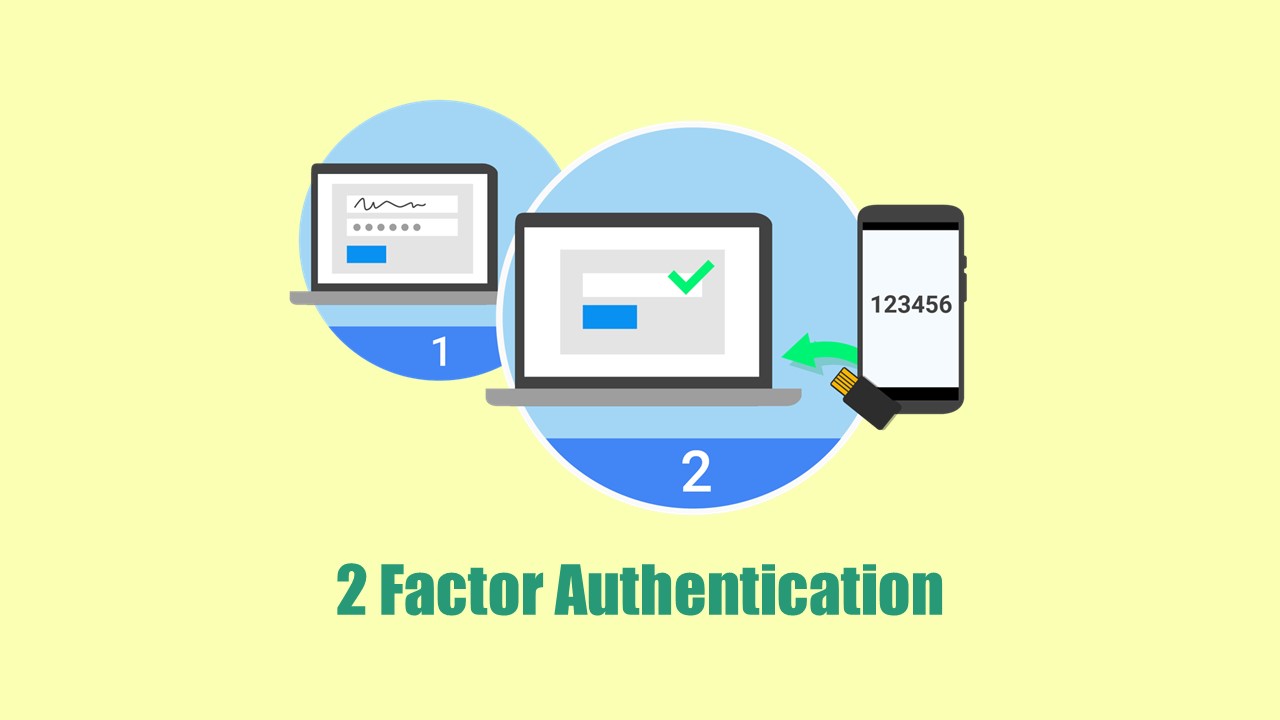
NIC has issued an update on 2 Factor Authentication will be made mandatory from 15th July 2023 for all taxpayers with AATO above 100cr for E-Way Bill and E-Invoice System.
2 Factor Authentication will be made mandatory
 Reetu
Reetu Jun 13, 2023
Table of Contents

2 Factor Authentication will be made mandatory from 15th July 2023 for E-Way Bill and E-Invoice System
The National Informatics Centre (NIC) has issued an update on 2 Factor Authentication will be made mandatory from 15th July 2023 for all taxpayers with AATO above Rs.100 crore for E-Way Bill and E-Invoice System.
To enhance the security of e-Way Bill/e-Invoice System, NIC is introducing 2-Factor Authentication for logging in to e-Way Bill/e-Invoice system. In addition to username and password, OTP will also be authenticated for login.
There are 3 different ways of receiving the OTP. You may enter any of the OTP and login to system. The various modes of generating OTP are explained below:
1. SMS: OTP will be sent to your registered mobile number as SMS.
2. On ‘Sandes’ app: Sandes is a messaging app provided by government so that you can send and receive messages. You may download and install the Sandes app on your registered mobile number and receive the OTP in it.
3. Using ‘NIC-GST-Shield’ app: 'NIC-GST-Shield' is a mobile app given by e-Way Bill / e-Invoice System that may create OTP. This software is only available via the e-Waybill / e-Invoice portal via the link 'Main Menu2-Factor Authentication. Install NIC-GST-Shield'. Install and register this app on your registered mobile phone number. You must guarantee that the time displayed in the app is in sync with the e-Waybill / e-Invoice system. When you launch the app, the OTP is shown. You can proceed with the authentication by entering this OTP. Every 30 seconds, the OTP is updated. You will not need the internet or a cell network to generate the OTP on this app.
Registration for 2-Factor Authentication:
When you log in to the e-Way bill System, navigate to the Main Menu 2 Factor Authentication and validate your registration. Once validated, the system will request an OTP in addition to the login and password. Individual user accounts are used for OTP authentication. Sub users of GSTIN would be authenticated separately based on their registered mobile number in the e-Way Bill/ e-Invoice System. Once you have enrolled for 2 Factor authentication, you may use it for both the e-Way bill and the e-Invoice system. For Official Notice Download PDF Given Below:About Author


Reetu
Content Manager
Reetu is a Content Writer with 4+ years of experience in GST, Income Tax, Finance, Company Law, Education and Career Related Content. She is a B.COM (Honrs.) Graduate.
Reetu is a Content Writer with 4+ years of experience in GST, Income Tax, Finance, Company Law, Education and Career Related Content. She is a B.COM (Honrs.) Graduate.
 Studycafe
 Delhi, Delhi, India
 8071
8071My Recent Articles
- Income Tax Guide for Indian Defence Personnel for Tax Filing, Taxable Allowances and Other Benefits
- Income Tax Return Breaking: ITR Forms released for AY 25-26
- Ex-DRT Officials Sentenced to 5 Years Rigorous Imprisonment by Madras High Court along with Rs.27 Lakh Fine
- GSTN issued Advisory on Case Sensitivity in IRN Generation
- RBI to issue Notes of Rs.10 and Rs.500 bearing Signature of Guv Malhotra
Up Next
Loading suggestions…


Recent Posts


All Posts



Recent Posts
All Posts