How to File ITR for AY 2026-27: Documents, Process and Common Mistakes:
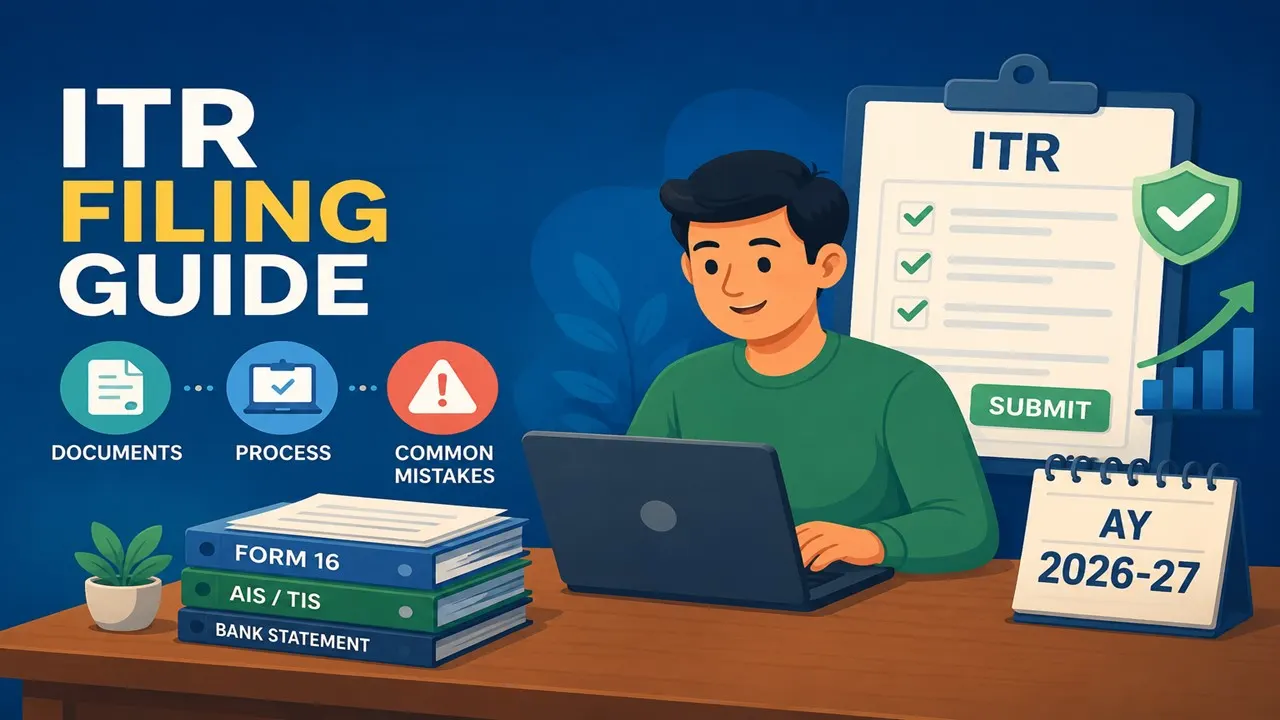
Learn how to file ITR for AY 2026-27, choose the right form, and avoid common filing mistakes.
ITR Filing 2026: Complete Guide
 Jasmine
 Jun 11, 2026
How to File ITR for AY 2026-27: Documents, Process and Common Mistakes
ITR Filing depends on the residential status of the taxpayer, the sources of the income and the ITR form they are eligible for. Taxpayers can easily file their returns either through the Income Tax Portal or use the offline utility before uploading the return.
The Central Board of Direct Taxes (CBDT) has allowed online e-filing and Excel utility for ITR-1 and ITR-4 for Financial Year (FY) 2025-26 and Assessment Year (AY) 2026-27.
ITR is a document in which taxpayers disclose details of their income, assets, taxes paid, losses and refunds for a particular assessment year.
Taxpayers need to keep important documents ready before filing the return, like PAN and Aadhaar details, Form 16, bank statements, stock trading statements, donation receipts, insurance payment receipts, bank account details linked with PAN, Aadhaar-linked mobile number for e-verification and interest certificates from banks. For filing an ITR online, taxpayers need to log in to the Income Tax Portal, select ‘File Income Tax Return’, choose the relevant assessment year, select filing status and the applicable ITR form.
Taxpayers filling returns for FY 2025-26 have to choose AY 2026-27. The correct ITR form will have to be chosen based on the sources of income. ITR-1 to ITR-4 are generally for individuals and HUFs and taxpayers with capital gains income but without business or professional income will have to file ITR-2.
Taxpayers should also download Form 26AS and the Annual Information Statement (AIS) before submission from the e-filing portal and match the details with bank statements, Form 16, broker statements and other income records. Taxpayers must validate the return, verify the summary, and finish e-verification within 30 days of entering all necessary information. If returns are not confirmed by the deadline, they will be considered unfiled.
How to submit an offline ITR
Taxpayers can also file ITR through Income Tax Portal's offline filing tool. Download and install the common offline utility from the downloads section of the webpage.
On launching the program, select “File Return” and then “Download Pre-fill”, to retrieve the information available. Select the relevant assessment year and provide your PAN. Post login using the offline utility, select the relevant ITR form and taxpayer status.
Taxpayers need to fill in the personal information, bank account information, income information, TDS information and other required disclosures. They can create the JSON file after verifying and validating the data. After selecting the correct assessment year, filing type, and ITR type, the JSON file must be uploaded to the Income Tax Portal. The last step is to check the result after submission.
Common mistakes to avoid while filing an ITR
Common mistakes while filing an ITR include selecting the wrong form, missing the deadline, using the wrong assessment year, not identifying all sources of income, and claiming deductions without documentation. Such errors could lead to incomplete returns, delays, fines, or letters from the Income Tax Department.
Taxpayers may not be able to carry certain losses forward and may have to pay a penalty of up to Rs 5,000 if they miss the reporting date. Taxpayers should also ensure that they declare all sources of income, including secondary sources, to avoid discrepancies with the information available with the tax department.
An individual is required to file an ITR if his income is above the basic exemption limit or if he satisfies certain conditions such as holding specified foreign assets, undertaking high-value transactions or having business or professional receipts of over Rs 60 lakh and Rs 10 lakh respectively.

About Author


Jasmine
Digital Marketing Excutive
 Studycafe
 dwarka, Delhi, India
 108
108My Recent Articles
- ITAT Rules BSNL VRS Compensation Exempt from Tax Under Section 10(10B), Grants Leave Encashment ReliefPremium
- Kerala Headload Workers Welfare Board Granted Income Tax Exemption for Three Tax YearsPremium
- ITR Filing: Why You Shouldn't Rely on a July 31 Deadline Extension
- Meerut Accountant Accused in Rs 65.5 Crore Income Tax Refund Scam
- Professional’s Viral Post on Rs 1 Crore Tax Sparks Debate on India’s Social Security
Up Next
Loading suggestions…


Recent Posts


All Posts



Tags
Recent Posts
All Posts