How to Pay Income Tax Offline Using Pay at Bank Counter Facility:
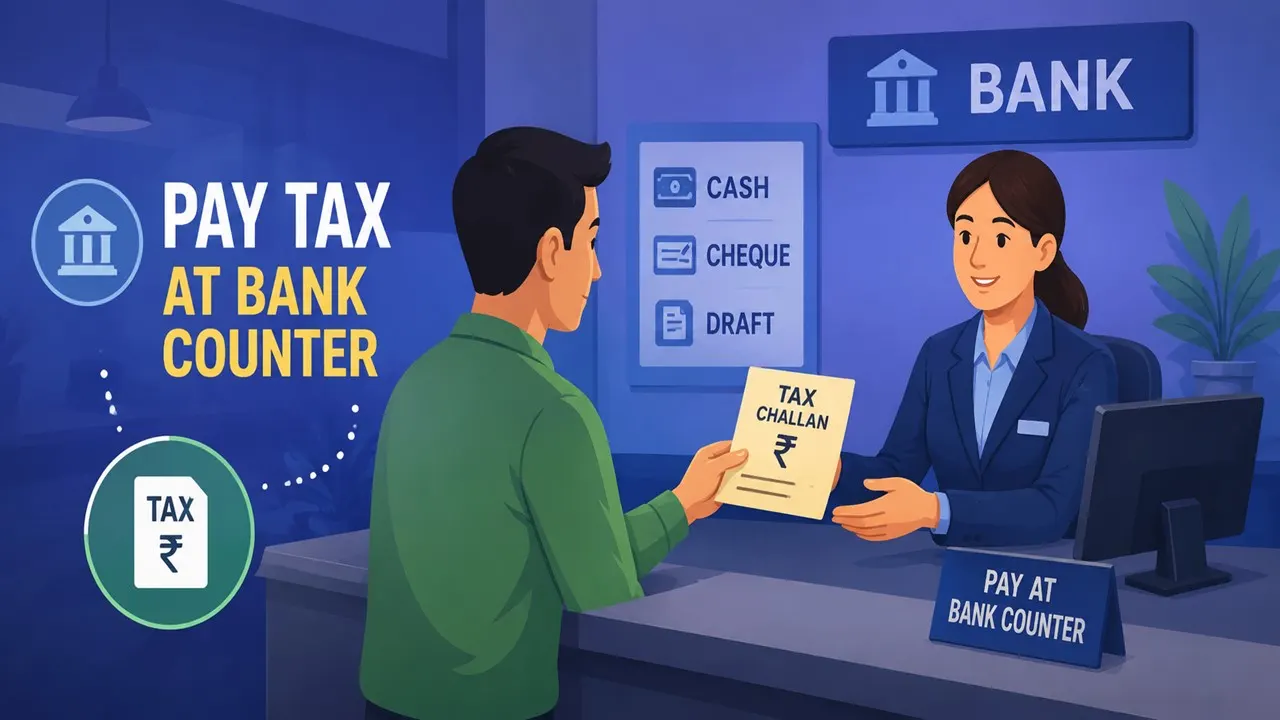
Taxpayers can pay income tax offline through the Pay at Bank Counter facility by generating a CRN challan on the e-filing portal and submitting payment at authorised banks via cash, cheque, or draft.
Pay at Bank Counter: Income Tax Guide
 Jasmine
 Jun 28, 2026
How to Pay Income Tax Offline Using Pay at Bank Counter Facility
The taxpayers have been using net banking, Unified Payments Interface, or debit cards to pay their taxes. Apart from that, there is another way available for the eligible taxpayers to pay their taxes, which is known as Pay at Bank Counter, wherein the taxpayer can make use of the challan and pay taxes in cash, cheque or draft.
Offline Method to Pay Taxes
In India, it is possible to generate ITRs in an offline mode using the Excel utility for preparing ITR-1, ITR-2, ITR-3 and ITR-4, which can be uploaded later to the portal. The offline method of paying taxes can be opted for by selecting the 'Pay at Bank Counter' option.
This facility is available on the e-filing portal both in pre-login and post-login mode.
How does the 'Pay at Bank Counter' Method Work?
Firstly, one should obtain a Challan Reference Number (CRN) from the e-filing website, print the challan, and go to the designated bank branch and pay the taxes. One can make the payments through cash, cheque, or draft, but payment through cash will not be accepted for more than Rs 10,000.
One of the important advantages of this method is that there are no extra transaction fees on the part of the taxpayer while paying tax at the bank counter.
Who Cannot Use This Facility?
The 'Pay at Bank Counter' facility is not available to businesses and certain taxpayers who fall within the purview of particular Income Tax Rules. Most individual taxpayers would be eligible to use the facility.
How to Create a Challan for Bank Counter Payment
First, log in to the income tax e-filing website, click on the e-pay tax option, select the respective category of tax payment, and provide the assessment year and other relevant information to generate the challan.
During the payment process, you can opt for 'Payment at Bank Counter', selecting cash, cheque or DD, and opting for any authorised bank. After verification of the data, the challan needs to be printed after generating it using the CRN.
The Income Tax Department has granted authorisation for collecting tax deposits to 33 banks, which include important banks like the State Bank of India, HDFC Bank, ICICI Bank, Axis Bank, Punjab National Bank, Bank of Baroda, Canara Bank, Union Bank of India, and the Reserve Bank of India.
What's Next After Payment?
The taxpayer gets confirmation of the payment through SMS or email after the payment process is complete by the bank. The challan will be available on the e-filing website, and the payment information will be available in the Payment History under the e-Pay Tax menu.
Although online payments are faster, the ‘Pay at Bank Counter’ option is still a useful one.

About Author


Jasmine
Digital Marketing Excutive
 Studycafe
 dwarka, Delhi, India
 108
108My Recent Articles
- ITAT Rules BSNL VRS Compensation Exempt from Tax Under Section 10(10B), Grants Leave Encashment ReliefPremium
- Kerala Headload Workers Welfare Board Granted Income Tax Exemption for Three Tax YearsPremium
- ITR Filing: Why You Shouldn't Rely on a July 31 Deadline Extension
- Meerut Accountant Accused in Rs 65.5 Crore Income Tax Refund Scam
- Professional’s Viral Post on Rs 1 Crore Tax Sparks Debate on India’s Social Security
Up Next
Loading suggestions…


Recent Posts

All Posts


Tags
Recent Posts
All Posts