ICSI Notifies Mandatory Safe Exam Browser for students appearing in CSEET
ICSI Notifies Mandatory Safe Exam Browser for students appearing in CSEET The Institute of Company Secretaries of India ( ICSI ) notifies Mandatory S…
 Reetu
Reetu Apr 28, 2022
Table of Contents

ICSI Notifies Mandatory Safe Exam Browser for students appearing in CSEET
The Institute of Company Secretaries of India (ICSI) notifies Mandatory SEB (Safe Exam Browser) for students appearing in CSEET to be held on 07th May 2022.
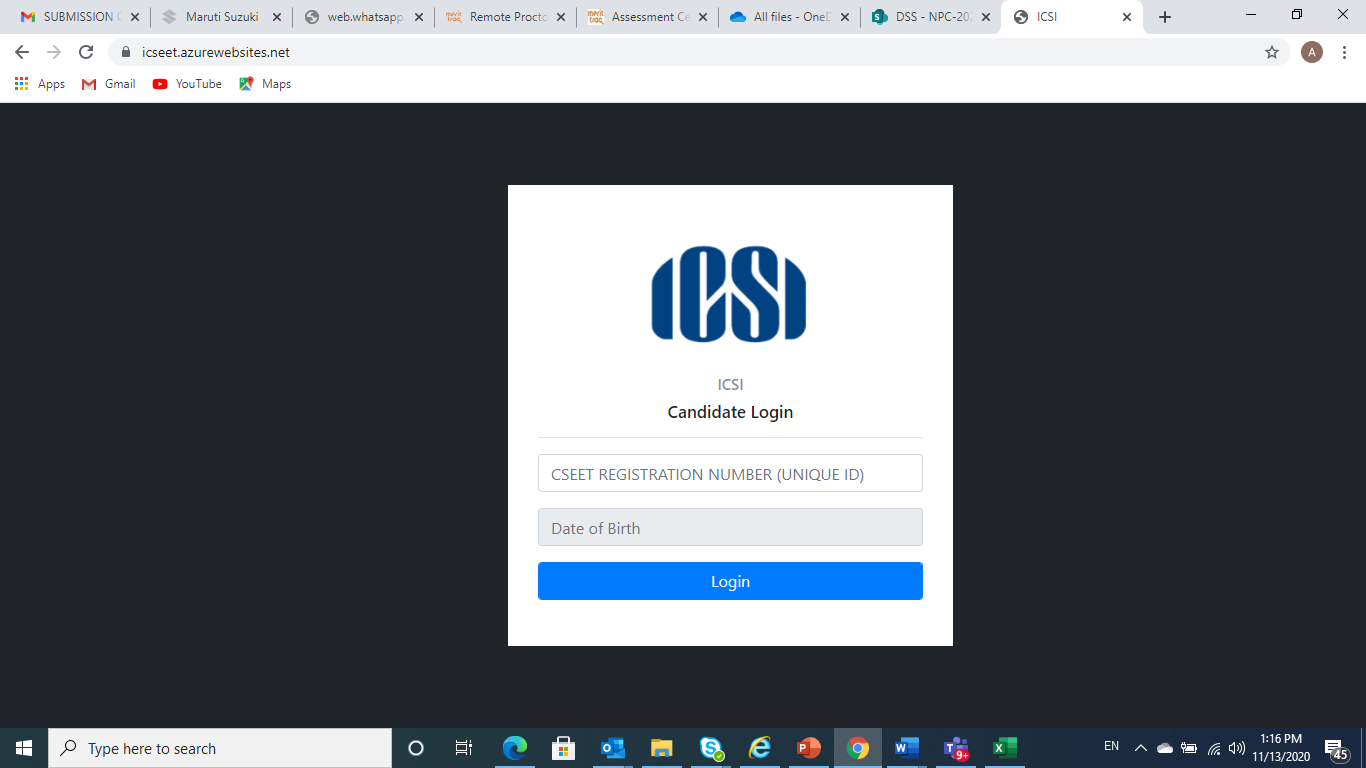 2. Enter the CSEET Registration Number and DOB and Click on Submit Button
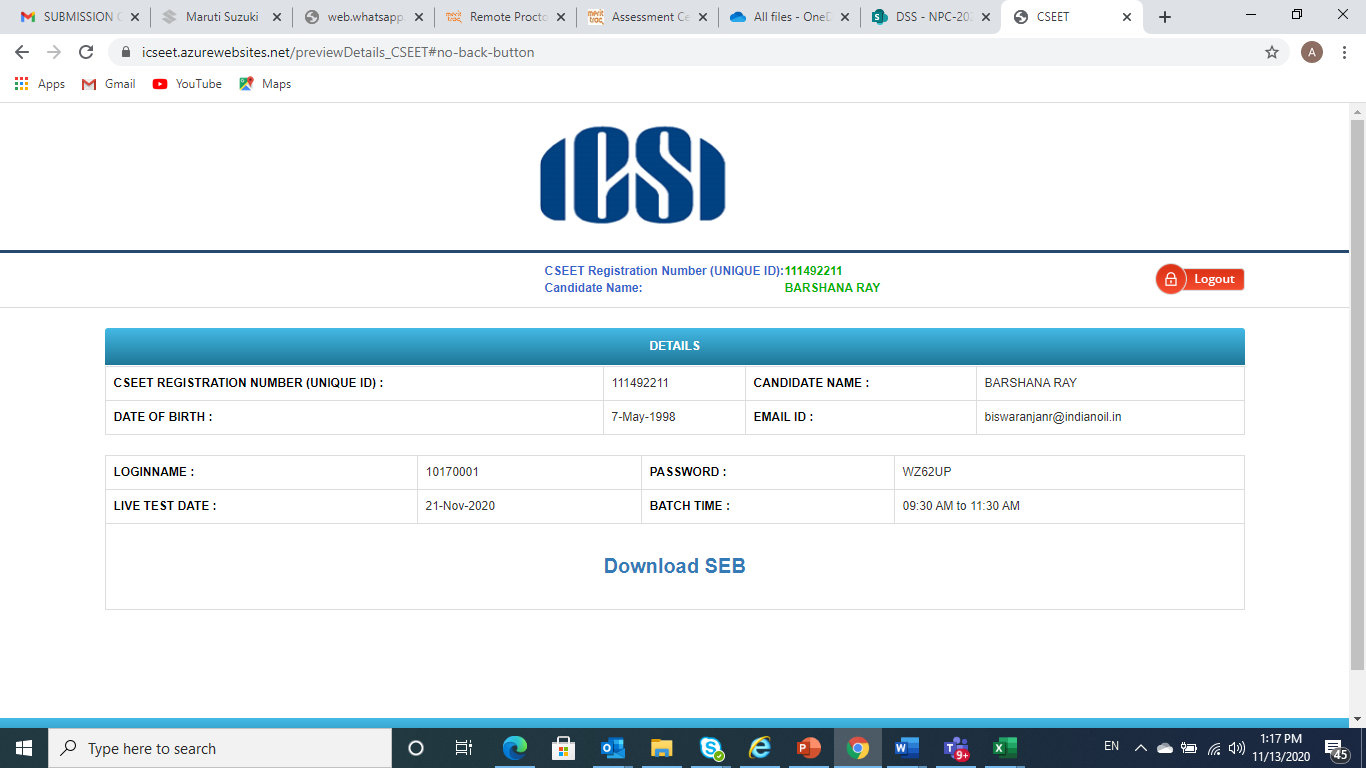 3. Click on Download Button to download the SEB.
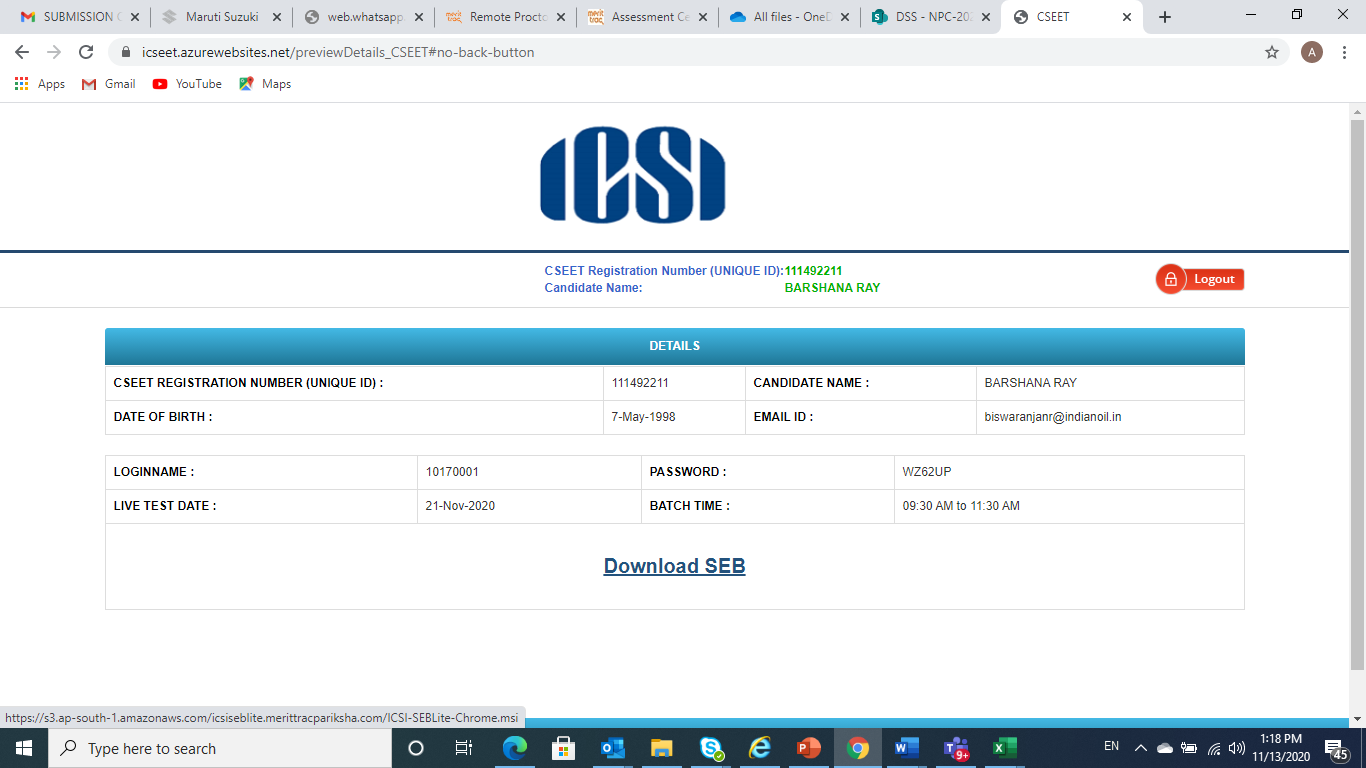 NOTE: Remove pop up blocker before starting download and Installation of Safe Exam Browser
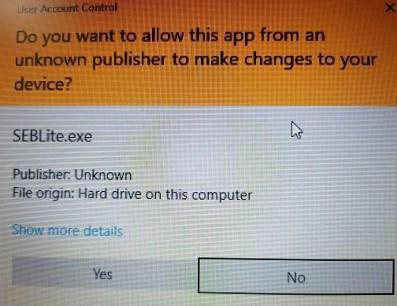 Based on your Windows settings you may / may not get the below mentioned popup message. Click “Yes” to continue
Note : Please do not uninstall SEBLite until your examination is completed.
Based on your Windows settings you may / may not get the below mentioned popup message. Click “Yes” to continue
Note : Please do not uninstall SEBLite until your examination is completed.
Secure Browser Download Process
Click the below Link. https://icseet.azurewebsites.net/index_controller_CSEET/login
2. Enter the CSEET Registration Number and DOB and Click on Submit Button
3. Click on Download Button to download the SEB.
NOTE: Remove pop up blocker before starting download and Installation of Safe Exam Browser
Step 1: Download
Click to download the Safe Exam browser file (SEBLite.exe) onto your Computer from the above form or from the link provided to you in your email and SMS.- During download, the anti-virus in your system may prompt you to re-confirm download, as it is an exe file.
- Do NOT worry, it is very safe to download and the run the exe file.
- This exe file is needed only for the exam and not for anything else.
- On completion of the exam, you may go the Control Panel and uninstall the same.
Step 2: Installation
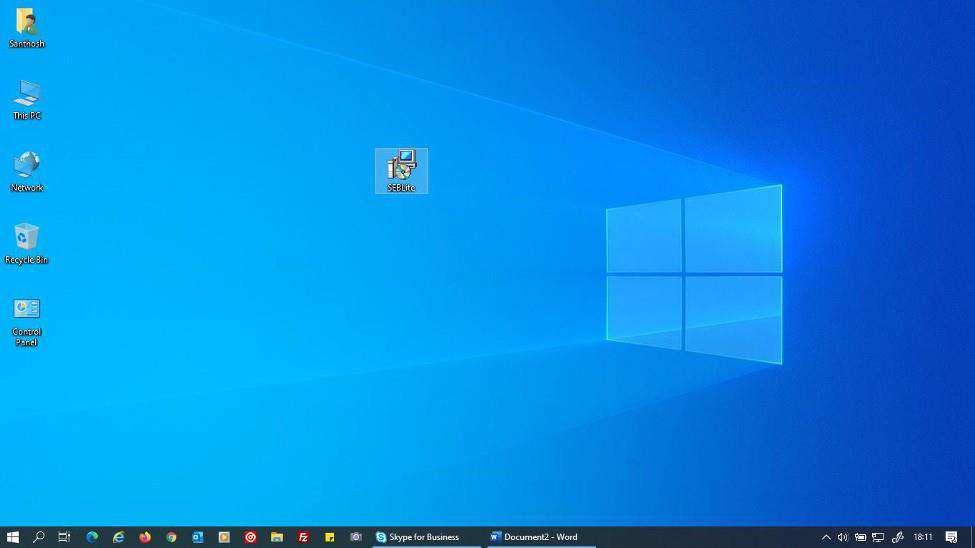
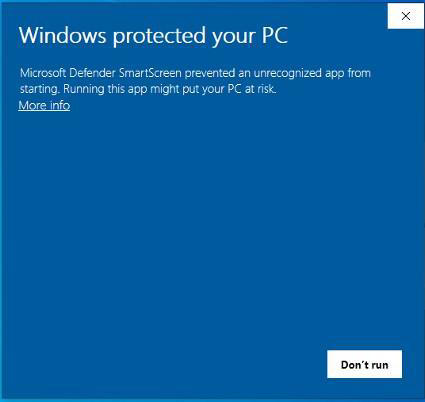
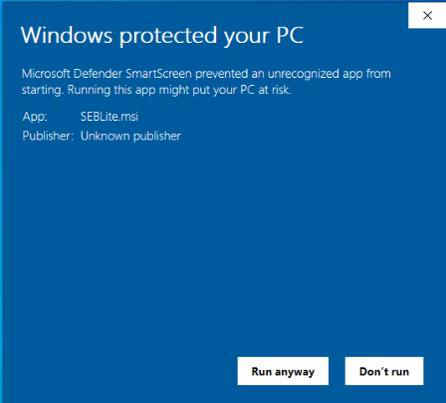
Double click on “SEBLite” to start the installation.- You will get the following pop-up window that will say “Windows protected your PC”
- Click on “More Info” to know more about
- Click on “Run Anyway” to initiate the installation process.
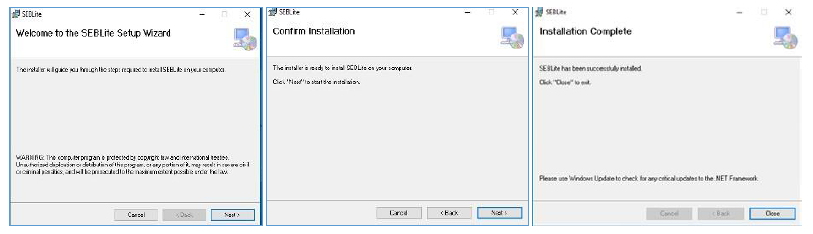
- Click on “Next >” to continue
- Click on “Close” to complete the Setup
Step 3: RUN Time
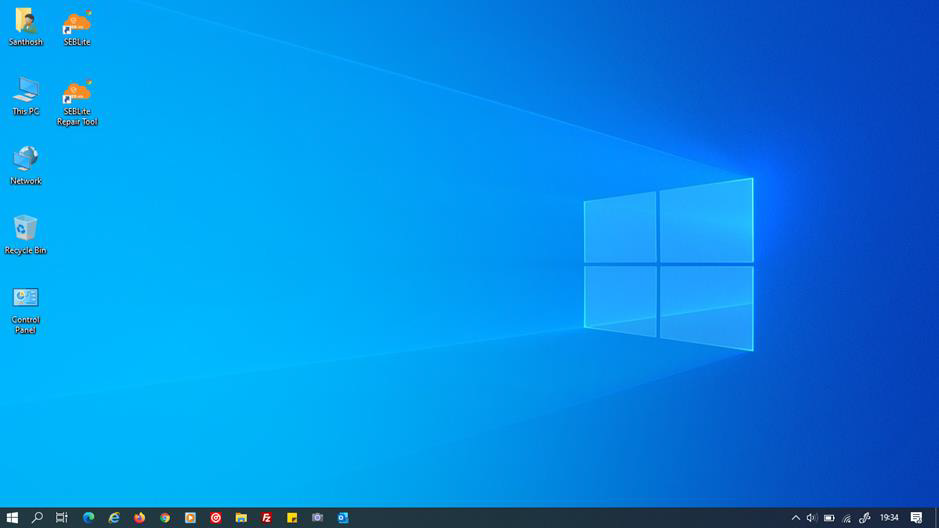
You will be able see two shortcut icons on desktop- SEBLite
- SEBLite Repair tool
Based on your Windows settings you may / may not get the below mentioned popup message. Click “Yes” to continue
Note : Please do not uninstall SEBLite until your examination is completed.
Enter Login Credentials, Confirm Attendance and Sign In
Password will be alphanumeric and this will be sent via SMS or email to all the candidates.About Author


Reetu
Content Manager
Reetu is a Content Writer with 4+ years of experience in GST, Income Tax, Finance, Company Law, Education and Career Related Content. She is a B.COM (Honrs.) Graduate.
Reetu is a Content Writer with 4+ years of experience in GST, Income Tax, Finance, Company Law, Education and Career Related Content. She is a B.COM (Honrs.) Graduate.
 Studycafe
 Delhi, Delhi, India
 8071
8071My Recent Articles
- Income Tax Guide for Indian Defence Personnel for Tax Filing, Taxable Allowances and Other Benefits
- Income Tax Return Breaking: ITR Forms released for AY 25-26
- Ex-DRT Officials Sentenced to 5 Years Rigorous Imprisonment by Madras High Court along with Rs.27 Lakh Fine
- GSTN issued Advisory on Case Sensitivity in IRN Generation
- RBI to issue Notes of Rs.10 and Rs.500 bearing Signature of Guv Malhotra
Up Next
Loading suggestions…


Recent Posts

All Posts
Recent Posts
All Posts