Step by Step guide for filing GST TRAN 2 Form
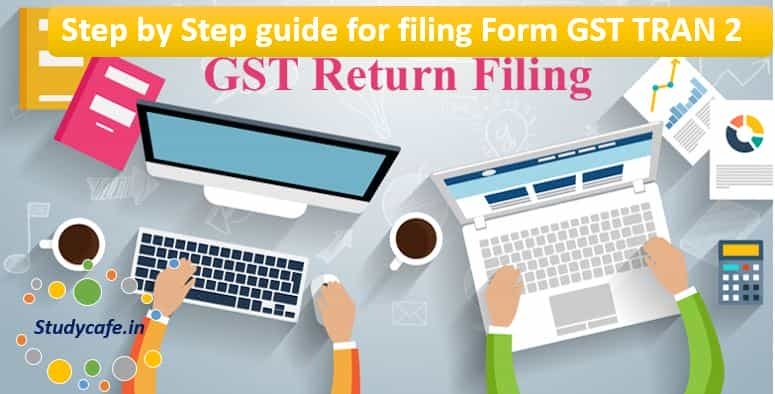
Step by Step guide for filing GST TRAN 2 Form Prequisite: TRAN 2 can be filed only if TRAN-1 and GSTR 3B of the relevant tax period is filed
 CA Deepak Gupta
 Feb 12, 2018
Table of Contents

Step by Step guide for filing GST TRAN 2 Form
Prequisite:TRAN 2 can be filed only if TRAN-1 and GSTR 3B of the relevant tax period is filed.
Step1.Navigate to the TRAN 2 page of the desired tax period after logging in,Select the < Financial Year> and < Month>
Step2.Table 4 of TRAN 2 would be enabled if records were declared in Table-7(a) (7B) of TRAN 1 and Table 5 would be enabled if records were declared in Table-7(d) of TRAN 1.
Step3.Enter details of opening stock in Table 4 and Table 5 as declared in TRAN 1. Please ensure that all the HSN/goods are declared in TRAN 2, in the opening balance in the month of July, 2017, irrespective of the fact that these have been sold or not in the first i.e. July, 2017 tax period.
Step4.Declare the details of sold goods from such stock in the first tax period and the Central/State and integrated tax paid on those goods and compute the ITC allowed and state this value in the applicable tables. ITC allowed should be less than or equal to (=) 60% of Central Tax or 30% of Integrated Tax.
Step5.While filing Tran 2 of subsequent tax periods, the tax payer has to only declare the details of goods supplied/sold and the tax paid and ITC allowed. The opening stock gets auto-populated from the earlier tax period closing stock. And the closing sock is auto computed from the opening stock and the supplied quantity in the tax period.
Step6.Save after entering each record in tables of TRAN 2.
Step7.After entering all the records click Preview to download the pdf with draft summary values of TRAN 2. Verify the correctness of the entered data. If satisfied click Submit to freeze your declaration. Please verify thoroughly before submitting.
Step8.Download the summary of your submitted TRAN 2 for your record by clicking on Preview again.
Step9.Click on file with DSC or EVC and select the authorized signatory to file TRAN 2 for the tax period.
Step10.After successful filing the message and email with the ARN number will be sent to the taxpayer.
Step11.The claimed ITC of central and state tax would be reflected in the ITC ledger of the taxpayer after filing of TRAN 2. It has to be noted that the ledger entries get posted after filing of TRAN 2 and not Submit (as is/was the case in TRAN 1).
You May Also Like:
What is Table 6A of FORM GSTR-1
GSTN Advisory for Exporters for filing Table 6A of GSTR-1
About Author


CA Deepak Gupta
Co Founder
CA Deepak Gupta,is Co-founder of Studycafe. He is Microsoft Office Specialist and Corporate Trainer of AI Tools, Microsoft Excel.
He is Finance Influencer having more than 250K followers on Social Media. CA Deepak Gupta, is Having more than 14 plus years of experience, and he has Worked with best brands Like, Hero, Wipro, Ericsson before Starting Studycafe. He has Trained more than 20000 Persons in Microsoft Excel, PowerPoint, Power BI, Google Sheet, Google Forms and Other Tools.
CA Deepak Gupta,is Co-founder of Studycafe. He is Microsoft Office Specialist and Corporate Trainer of AI Tools, Microsoft Excel.
He is Finance Influencer having more than 250K followers on Social Media. CA Deepak Gupta, is Having more than 14 plus years of experience, and he has Worked with best brands Like, Hero, Wipro, Ericsson before Starting Studycafe. He has Trained more than 20000 Persons in Microsoft Excel, PowerPoint, Power BI, Google Sheet, Google Forms and Other Tools.
 StudyCafe
 Delhi, Delhi, India
 3423
3423My Recent Articles
- UltraTech Cement slapped with Rs. 808.78 Cr Income Tax Demand
- GST: High Court upheld constitutional validity of Section 16(2)(c), asks government to address ITC issues of genuine purchasers
- Old vs New Tax Regime for Tax Year 2026-27
- High court criticizes Income Tax Department for not releasing ITR Utilities despite 11 years of directions
- Fino Payments Bank CEO Rishi Gupta Gets Bail in GST Case, Bank Clarifies No Direct Link
Up Next
Loading suggestions…


Recent Posts



All Posts


Tags
No tags yet.
Recent Posts
All Posts
Tags
No tags yet.