Audit Trail from 1st April: Are you ready for the change? How to get Audit Trail in Tally:

Audit Trail from 1st April: Are you ready for the change? How to get Audit Trail in Tally As per the MCA notification dated 31st March 2022
MCA Audit Trail
 CA Pratibha Goyal
 Mar 25, 2023
Table of Contents

Audit Trail from 1st April: Are you ready for the change? How to get Audit Trail in Tally
As per the MCA notification dated 31st March 2022, the requirement for accounting software that has an audit trail is applicable with effect from 1st April 2023.
Now this change was originally notified with effect from 1st April 2021, first differed to 1st April 2022, and then to 1st April 2023. Since it has already been deferred 2 times, there is high chance that it won't be deferred now.
This big question is, "Are you ready for the change?"
Now Most of the Business use Tally to do their Accounting, this comes as a surprising fact that Tally provides the feature of Audit Trail.
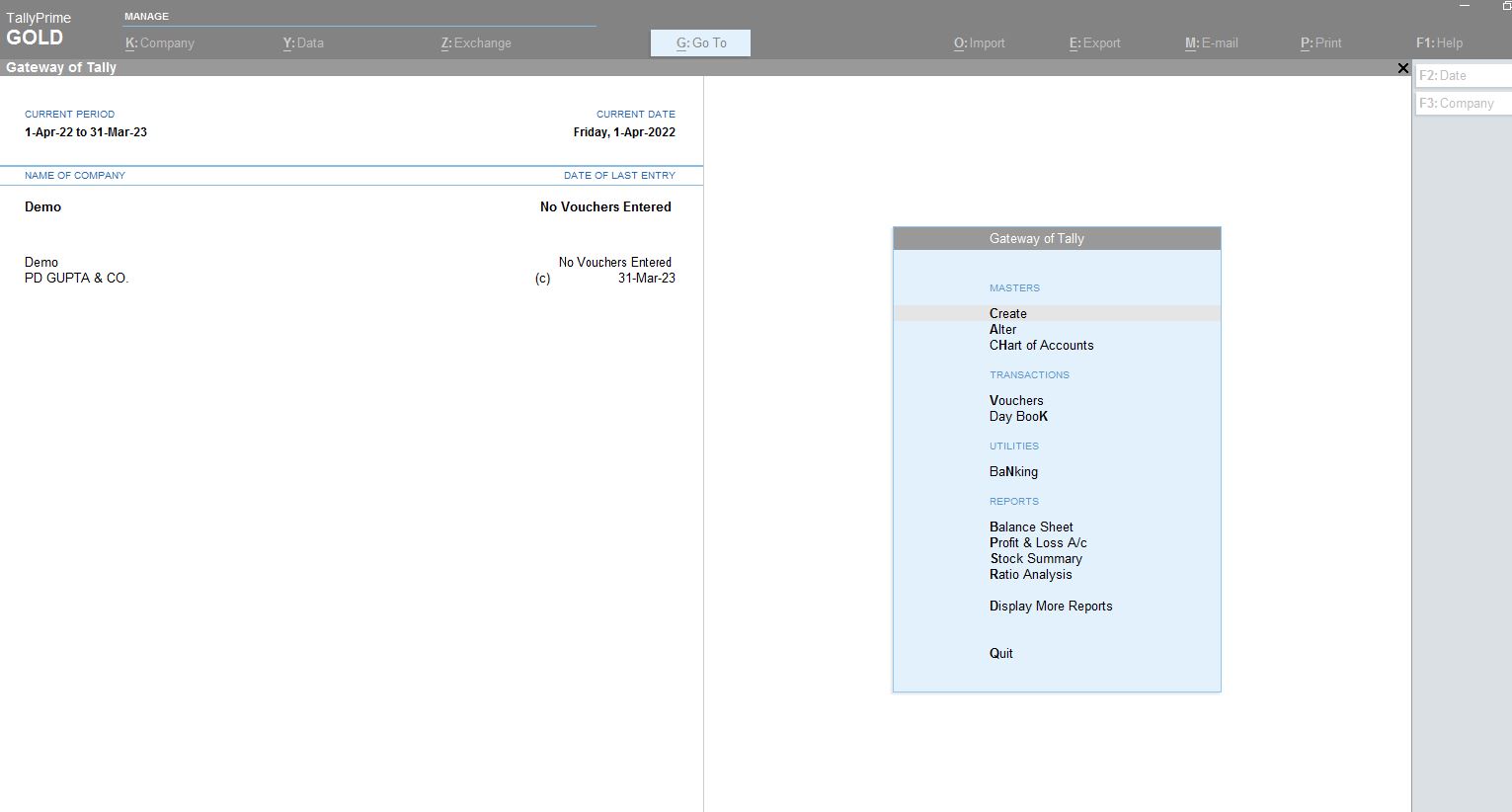 Press Alt+K to Alter the Company's Menu. First, you need to enable security features.
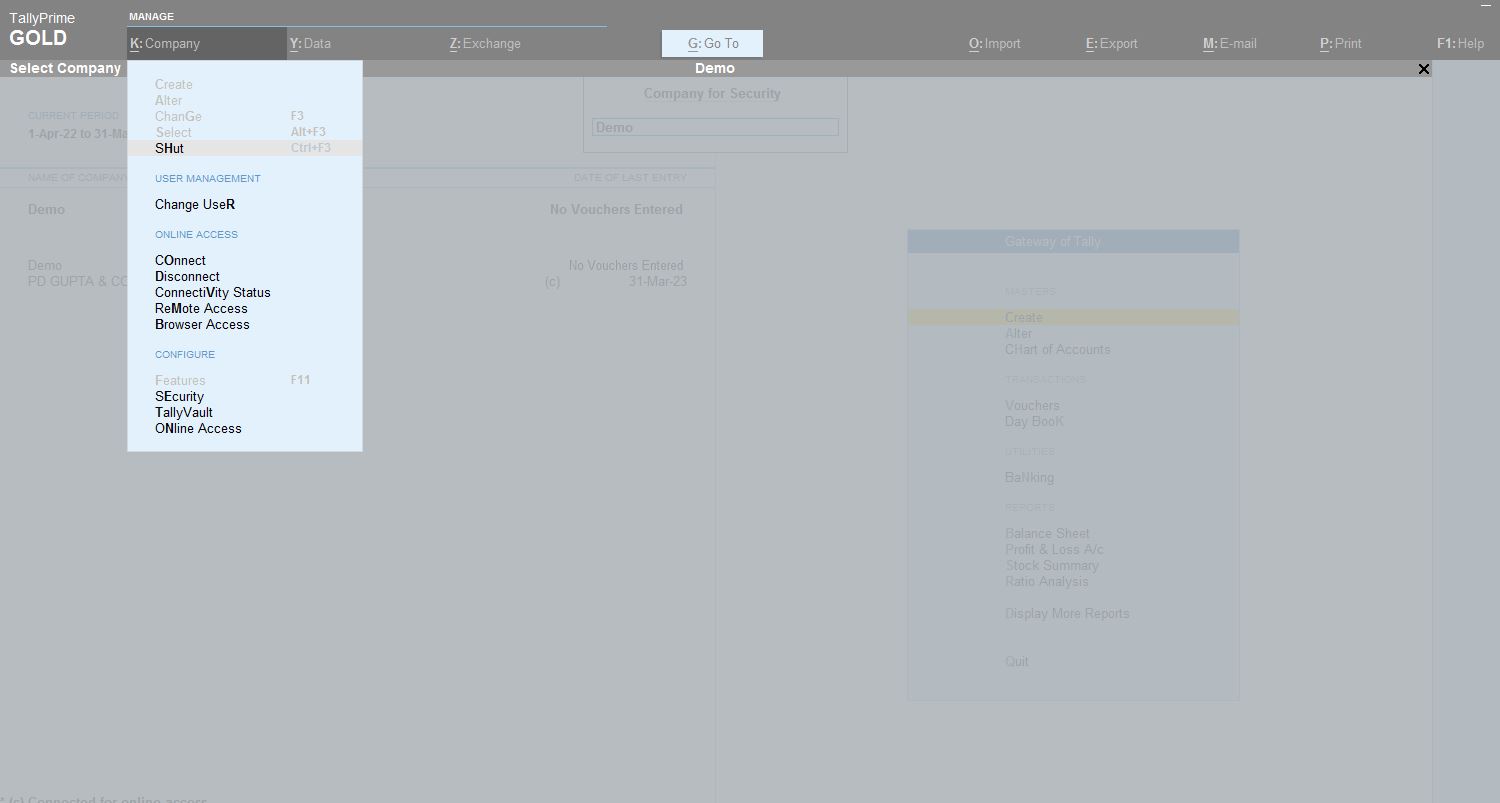 First, you need to enable security features. Need to provide Username and Password.
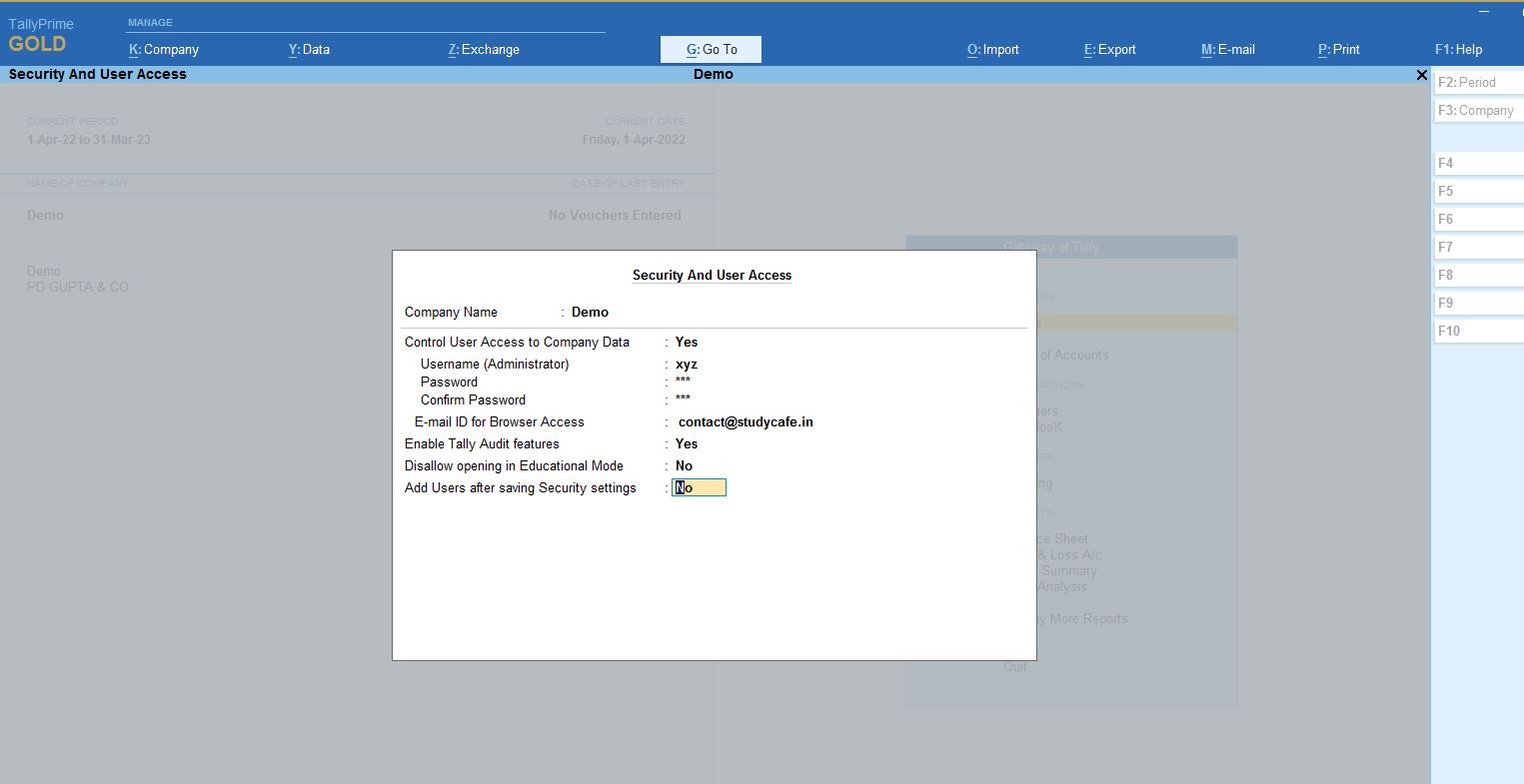 Now you need to Alter the features of the company. Here check yes on Security and Enable Tally Audit Features.
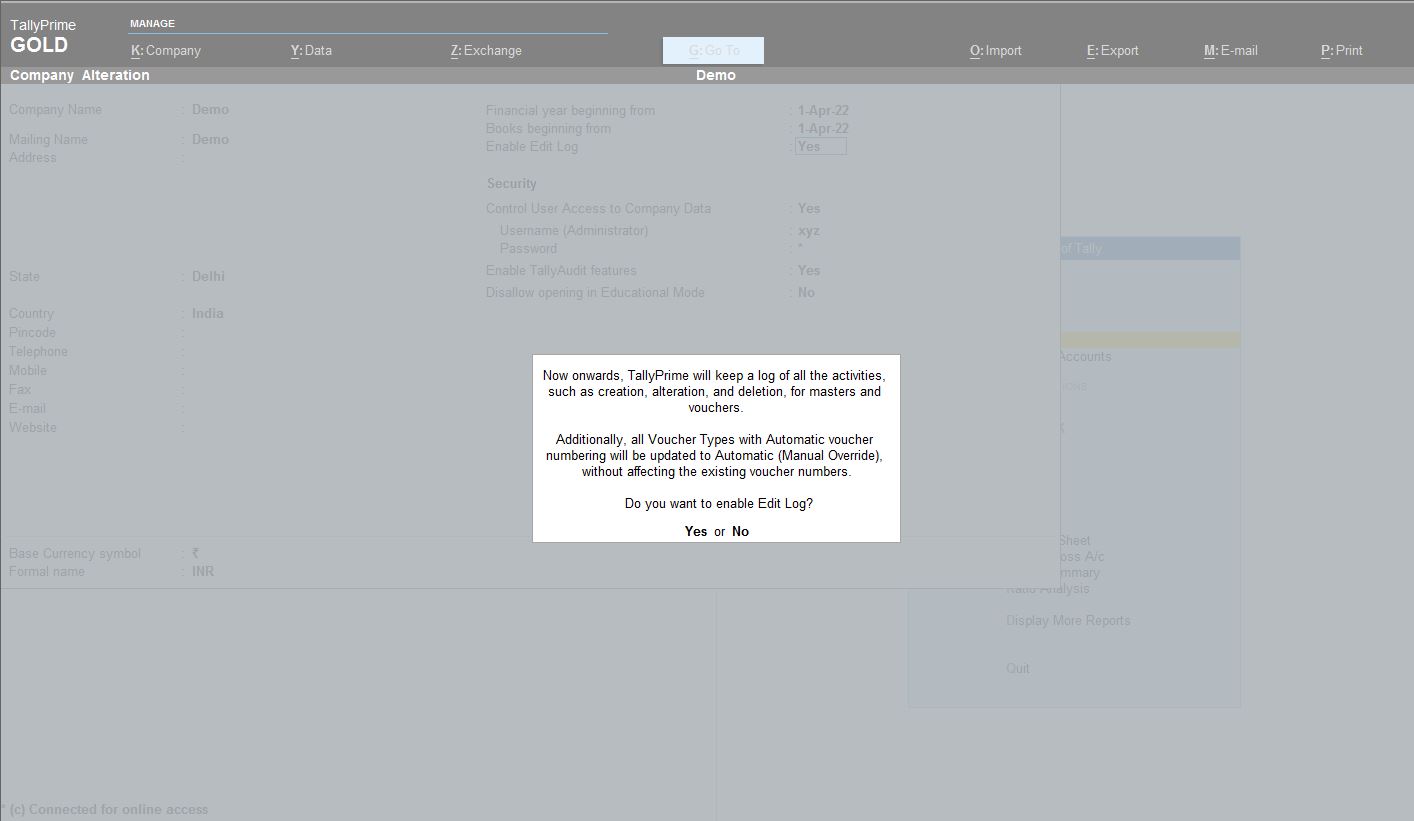
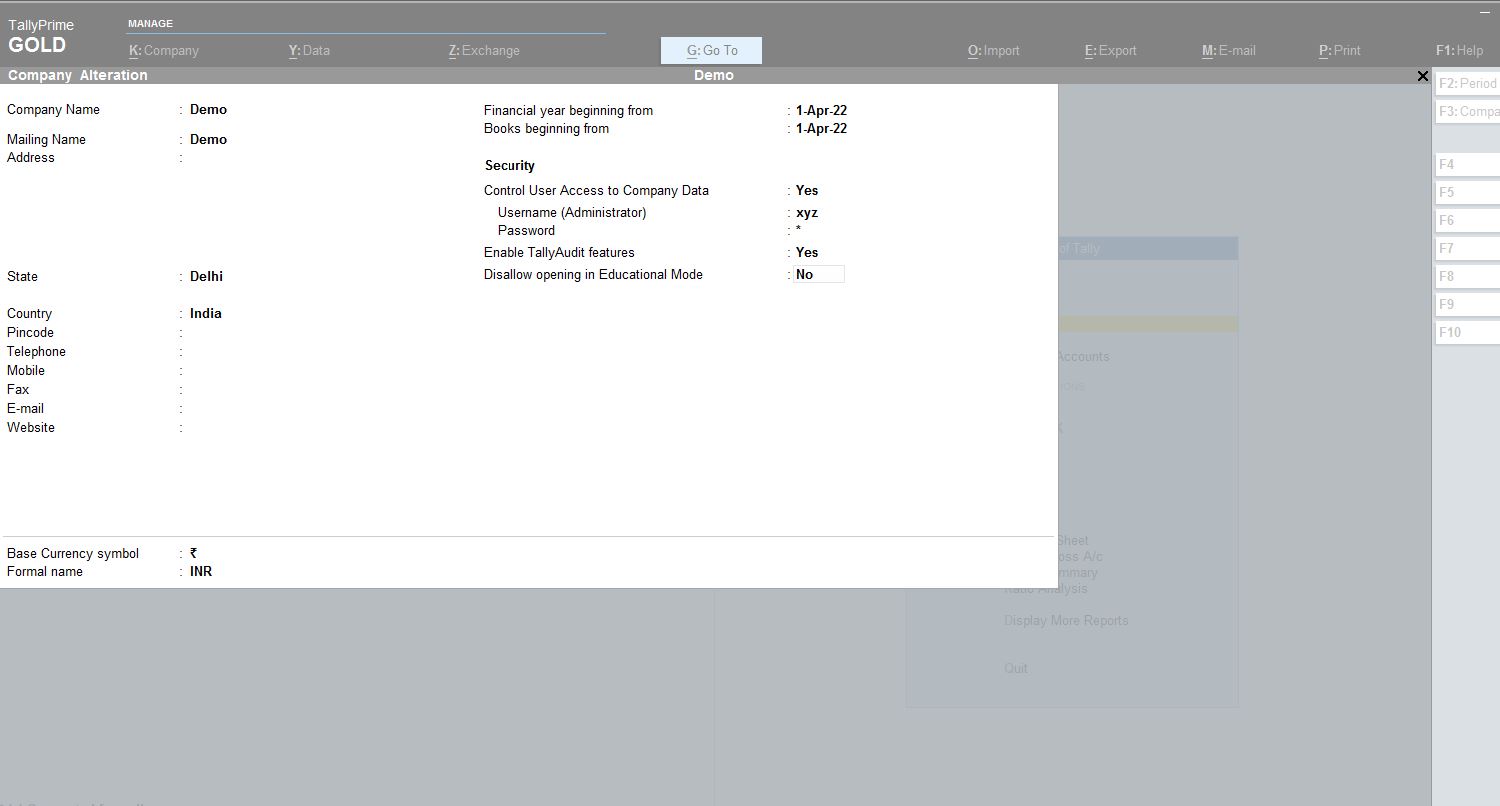 If the Security and Enable Tally Audit Features is not available, Press F12 for ‘Configure and Enable 'Set Edit Log Applicability' Next, Set 'Enable Edit Log' to 'Yes' in the company alteration screen.
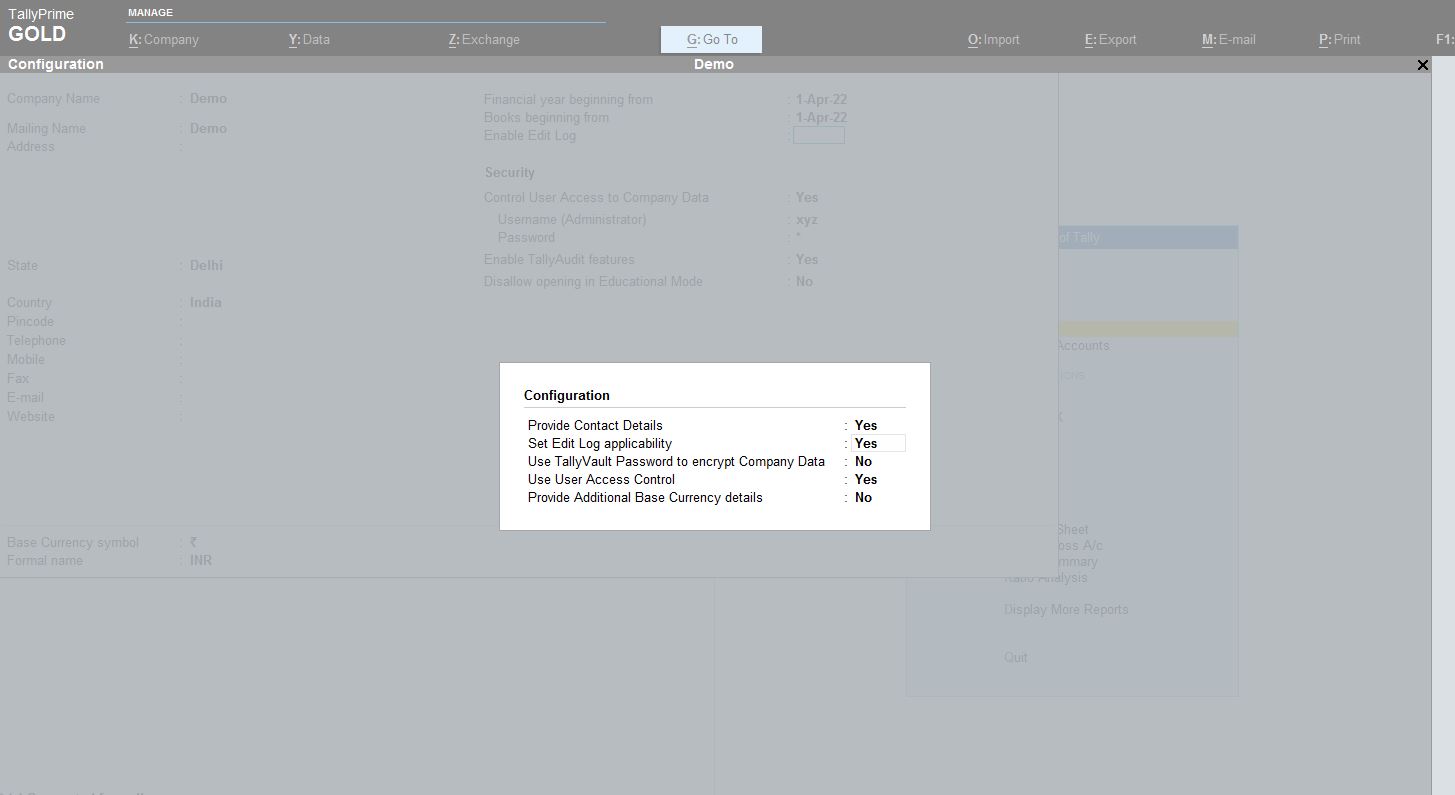 Once Security and Enable Tally Audit Features are enabled, it gives a warning message that all the voucher numbering will be Automatic now on.
 If you are a new Company
How to set Audit Trail in Tally?
You need to have TallyPrime 2.1 and the feature of Audit Trail is available in this version. Already have the Company's data on Tally Load the Data of the Company
Press Alt+K to Alter the Company's Menu. First, you need to enable security features.
First, you need to enable security features. Need to provide Username and Password.
Now you need to Alter the features of the company. Here check yes on Security and Enable Tally Audit Features.
If the Security and Enable Tally Audit Features is not available, Press F12 for ‘Configure and Enable 'Set Edit Log Applicability' Next, Set 'Enable Edit Log' to 'Yes' in the company alteration screen.
Once Security and Enable Tally Audit Features are enabled, it gives a warning message that all the voucher numbering will be Automatic now on.
If you are a new Company
- If you are creating a new company, you can follow the steps from the F12 configuration onwards.
Join Tally Audit Trail and Advance Features Certification Course
About Author


CA Pratibha Goyal
Co Founder
CA Pratibha Goyal is Chartered Accountant qualified in 2016, is a Member of The Institute of Chartered Accountants of India having wide experience in the field of Auditing, Taxation, ROC, GST and Secretarial matters etc.
She has written over a thousand articles & has made several videos on topics related to Auditing & Taxation. As a Speaker she has delivered various sessions on various branches of NIRC of ICAI.
CA Pratibha Goyal is Chartered Accountant qualified in 2016, is a Member of The Institute of Chartered Accountants of India having wide experience in the field of Auditing, Taxation, ROC, GST and Secretarial matters etc.
She has written over a thousand articles & has made several videos on topics related to Auditing & Taxation. As a Speaker she has delivered various sessions on various branches of NIRC of ICAI.
 Studycafe
 New Delhi, Delhi, India
 1486
1486My Recent Articles
- Biggest Labour Reform in Indian History: 4 Labour Codes Effective from today
- Tax Audit and ITR Due date not extended in this case: Know More
- Government notifies Agreement and Protocol between India and Qatar [Read Notification]
- CA Breaking: Results of ICAI Examination to be announced soon, Know probable Date
- Breaking: GSTR-3B Due Date for September 2025 extended by CBIC amid Diwali Festivities
Up Next
Loading suggestions…


Recent Posts



All Posts



Recent Posts
All Posts