Extend due dates for filing ROC Annual Forms: ICSI's Plea for Relief amid MCA-21 V3 Portal Glitches:
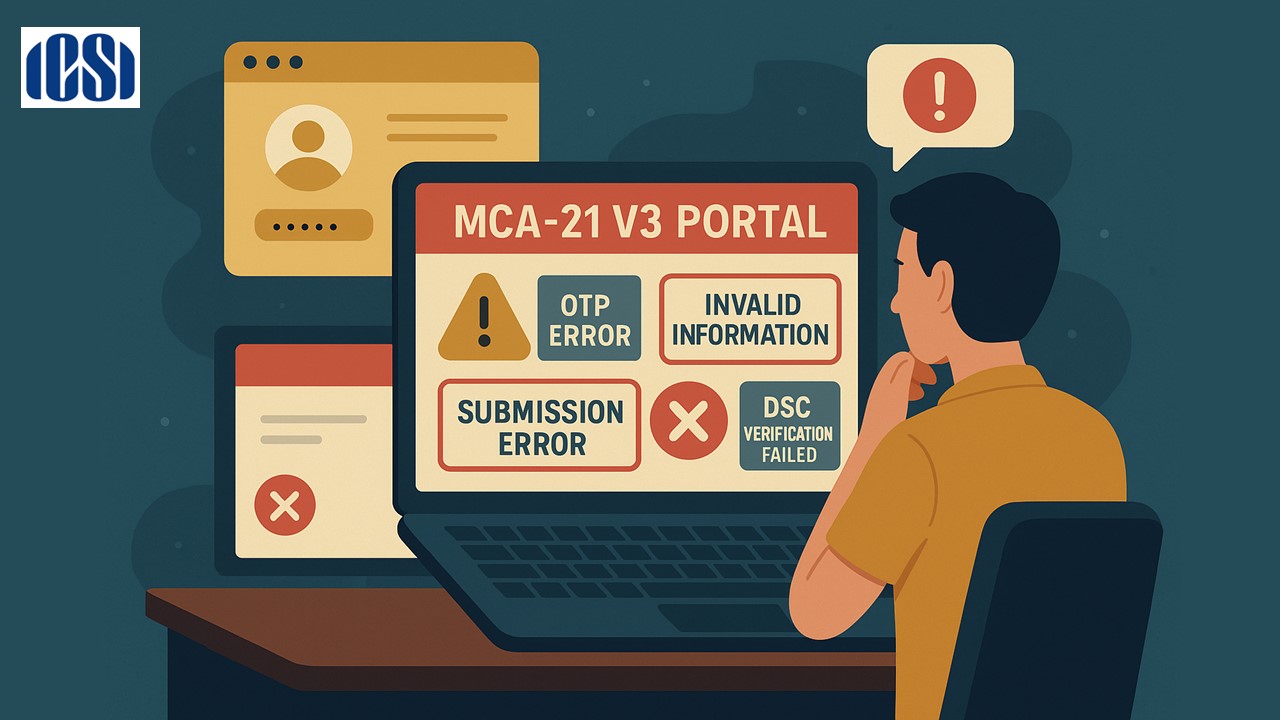
A comprehensive overview of the technical challenges and user issues reported on the MCA-21 V3 portal, as highlighted by ICSI in its formal communication to MCA.
Technical Glitches on MCA-21 V3 and Their Impact on Compliance
 Saloni Kumari
 Oct 15, 2025
Extend due dates for filing ROC Annual Forms: ICSI's Plea for Relief amid MCA-21 V3 Portal Glitches
The Institute of Company Secretaries of India (ICSI) has issued a formal communication (MCA:CL: SEPT/2025), dated September 29, 2025, addressed to Ms Deepti Gaur Mukerjee, the Secretary of the Ministry of Corporate Affairs (MCA) and is titled "Functioning of MCA-21V3 Portal – Issues and Challenges faced by stakeholders". It emphasises technical issues and challenges faced by stakeholders at the time of using the new MCA-21 Version 3 (V3) portal. The portal was upgraded by the government to improve digital compliance and ease doing business in India.
The MCA-21 portal is an online platform where companies and professionals file various legal forms and documents under the Companies Act, 2013. The portal was upgraded from Version 2 to Version 3 for better efficiency, but several technical glitches have occurred during this transition. ICSI is sharing feedback from Users of the upgraded MCA-21 portal and also recommending possible solutions to these issues.
Here's a summary of the key issues shared by stakeholders:
1. Problems with OTP (One-Time Password) for Foreign Nationals:
While doing DIR-3 KYC and DIR-3 Web KYC, foreign directors are receiving the OTP required for verifying their identity. The authority had also introduced the new IVR-based OTP system to resolve this problem; however, it is also not working properly.
2. Wrong Prefilled Information in Forms:
When users are filling up the forms, it is being seen that the prefilled data is incorrect or from some other company. For instance, while inserting the SRN of the approved RUN form, the data of some other form is being pre-filled or is incorrect.
3. Errors During Final Submission of Forms:
Users are facing problems in the final submission of their filings, as the system is displaying the error reading "Validation Error: Submission Restricted" at the final stage, and they can't proceed or affix their Digital Signature Certificate (DSC). An error occurs during 'Save and Submit'.
4. Master Data Not Updated:
Even after the form like PAS-3 is successfully submitted and processed by the authority, it is not showing in the company’s master data on the MCA portal.
5. DSC Verification Failure:
When, after successful correction in the Digital Signature, the system is showing “DSC Verification Failed”, stopping the form upload.
6. Login and Profile Issues:
The system is not allowing password reset and shows the error, "Something went wrong." Professionals are unable to update their profile roles, and old information stays.
Refer to the official communication for complete information.

About Author


Saloni Kumari
Content Writer
Saloni is a Content Writer with 2+ years of experience at studycafe.in. She writes legal, taxation, and finance related content including GST, Income Tax etc. Skilled in translating complex judicial pronouncements and regulatory developments into clear, and reader-friendly articles. Experienced in covering judgements of ITAT, High Court, GSTAT, and news related to Income Tax, GST, and corporate law. She can be reached at [email protected].
Saloni is a Content Writer with 2+ years of experience at studycafe.in. She writes legal, taxation, and finance related content including GST, Income Tax etc. Skilled in translating complex judicial pronouncements and regulatory developments into clear, and reader-friendly articles. Experienced in covering judgements of ITAT, High Court, GSTAT, and news related to Income Tax, GST, and corporate law. She can be reached at [email protected].
 StudyCafe
 Delhi, Delhi, India
 2924
2924My Recent Articles
- Major Relief in Arbitration Case: MCIA Denies Rs 908 Crore Statement Claim Made by Allied Silica Against Tata Chemicals
- MCA and ICSI to Hold User Awareness Session on Form AOC-4 Filing Amid Glitches on MCA-21 Version-3 Portal
- GSTN Introduces New E-Invoicing Facility for Self-Invoices Under Reverse Charge Mechanism
- Flexi Cap vs Multi Cap Funds: What's the Real Difference?
- IBA Recommends Public Sector Banks to Reduce Ambit of Physical Branch Audits to 50% of Total Business
Up Next
Loading suggestions…


Recent Posts
All Posts
Recent Posts
All Posts