How to Download Certificate of Lower TDS Deduction or Sec 197 TDS Certificate
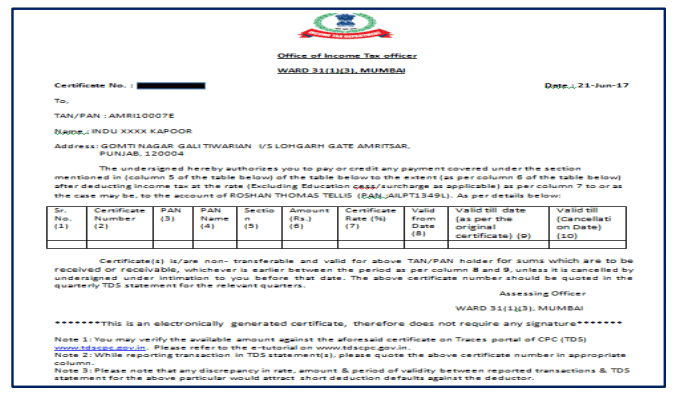
How to Download Certificate of Lower TDS Deduction or Sec 197 TDS Certificate 1. Important Information on Download 197 Certificate Only TRAC
 CA Deepak Gupta
 May 16, 2019
How to Download Certificate of Lower TDS Deduction or Sec 197 TDS Certificate
1. Important Information on Download 197 Certificate
Only TRACES Registered users can Download 197 Certificate from 2018-19 onwards.

Deductor can download 197 certificate after received approval from AO.
Deductor can check their Inbox option of Communication tab to download 197 Certificate.
Deductor can also view or download 197 Certificate from Download 197 Certificate option available under Downloads Menu.

2. Brief Steps for Downloading 197 Certificate(Deductor's Inbox)
Step 1. Login on Traces website with your User ID, Password, TAN of the Deductor and the Verification Code.
Step 2. Click on Inbox Under Communication Tab.
Step 3: Select Category of Communication: 'Certificate U/S 197,206C' then click on 'Go' button. Communication detail will be appear on the screen under action required option.
Step 4: Select the row of 'Issuance of Certificate' then click on 'Download Certificate' button to download Certificate. User can view Communication Category details after clicking on 'View Details' button.
After clicking on 'Download Certificate' button Certificate will be downloaded
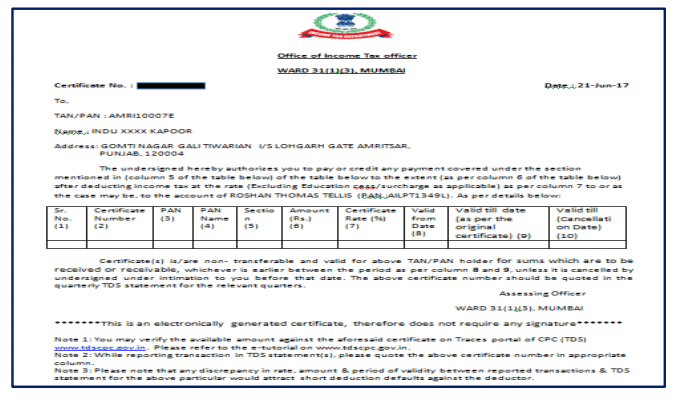
3. Brief Steps for Downloading 197 Certificate (Deductors Download Menu)
Step 1: Login to TRACES website by entering the User ID, Password ,TAN of the Deductor and the Verification Code. Landing page will be displayed.
Step 2: Click on Download 197/206 Certificate available under Downloads tab.
Step 3: Enter Financial Year (mandatory), Deductee PAN or Request Number. List of available certificate will be displayed.
Step 4: Click on hyperlink "Download / View Certificate" to view and download Certificate.
About Author


CA Deepak Gupta
Co Founder
 StudyCafe
 Delhi, Delhi, India
 3423
3423My Recent Articles
- UltraTech Cement slapped with Rs. 808.78 Cr Income Tax Demand
- GST: High Court upheld constitutional validity of Section 16(2)(c), asks government to address ITC issues of genuine purchasers
- Old vs New Tax Regime for Tax Year 2026-27
- High court criticizes Income Tax Department for not releasing ITR Utilities despite 11 years of directions
- Fino Payments Bank CEO Rishi Gupta Gets Bail in GST Case, Bank Clarifies No Direct Link
Loading suggestions…


Recent Posts
All Posts
Tags
No tags yet.
Recent Posts
All Posts
Tags
No tags yet.