How to download various Utilities available on TRACES portal required for filing TDS Return
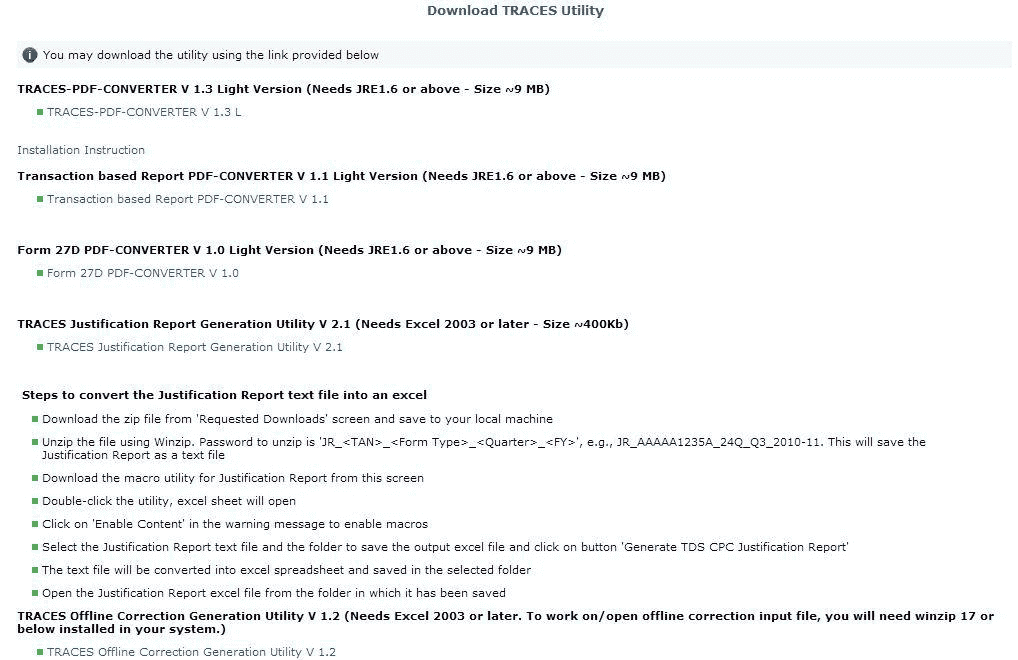
How to download various Utilities available on TRACES portal required for filing TDS Return Utilities available on TRACES: PDF Convertor uti
 CA Deepak Gupta
 May 26, 2019
How to download various Utilities available on TRACES portal required for filing TDS Return
Utilities available on TRACES:
PDF Convertor utility V 1.4 L To convert Form 16/16A into PDF this utility is required. System specifications to run this utility are JAVA 8 update 45, JRE 1.7 or above , Pop up blocker should be enabled.

Transaction Based Report PDF Convertor V1.1 - To convert Transaction based Report into PDF this utility is required . System specifications to run this utility are JAVA 8 update 45, JRE 1.7 or above , Pop up blocker should be enabled.
Form 27D PDF Convertor 1.0 - To convert Form 27D into PDF this utility is required. System specifications to run this utility are JAVA 8 update 45, JRE 1.7 or above , Pop up blocker should be enabled.
TRACES Justification Report Utility V 2.1 To convert Justification from.txt format to .xls format this utility is required . System specifications to run this utility are MS Excel 2007-2010, Macro enabled

Basic Steps to download Utilities:
Login to TRACES website

Welcome Page will appear

Go to Requested Downloads ' under ' Downloads Tab

Click on the Download Utility Link

Enter Verification Code

After entering Verification code , List of utilities will appear on the screen
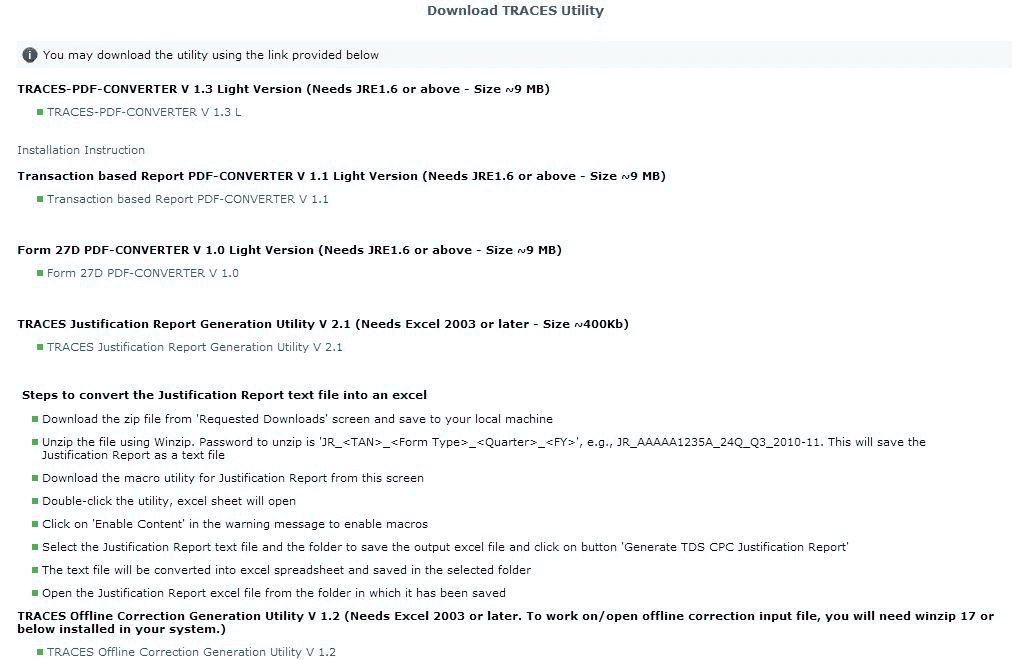
Select respective utility as per the download request given on the website
About Author


CA Deepak Gupta
Co Founder
 StudyCafe
 Delhi, Delhi, India
 3423
3423My Recent Articles
- UltraTech Cement slapped with Rs. 808.78 Cr Income Tax Demand
- GST: High Court upheld constitutional validity of Section 16(2)(c), asks government to address ITC issues of genuine purchasers
- Old vs New Tax Regime for Tax Year 2026-27
- High court criticizes Income Tax Department for not releasing ITR Utilities despite 11 years of directions
- Fino Payments Bank CEO Rishi Gupta Gets Bail in GST Case, Bank Clarifies No Direct Link
Loading suggestions…


Recent Posts


All Posts

Tags
No tags yet.
Recent Posts
All Posts
Tags
No tags yet.