Process of Submitting TDS Refund request on traces portal
Process of Submitting TDS Refund request on traces portal Deductor can apply for TDS refund from FY 2007-08 onwards. It is mandatory to regi
 CA Deepak Gupta
 May 21, 2019
Process of Submitting TDS Refund request on traces portal
Deductor can apply for TDS refund from FY 2007-08 onwards.
It is mandatory to register digital signature on TRACES to submit the Refund Request

PAN of Deductor should be same as per TAN Master and TRACES profile and should be non blank.
A refund request consists of maximum of Five Challans. For claiming more challans, submit new request.
Maximum refund amount will be the minimum challan balance amount in the challan history.

Available amount per challan must be greater than Rs.100/-.
Ensure that all statement in which the challan has been claimed have been processed before claiming refund for the challan.
Step 1 : Login to TRACES website and Go to Request for Refund under Statement Payment Tab
Step 2 : Go to Refund Checklist and click on Proceed
Step 3 : Please select Section code:
1.) Refund Request for Challan u/s 195
2.) Refund Request for Challan other than sec. 195
3.) Select Appropriate reason for raising the Refund Request, Click on Add Challan after selecting appropriate reason for raising Refund Request.
Step 4 : Give challan details & if challan pertains to appeal order than enter appeal order number for which deductor wants to claim refund.
Check challan consumption details and click to I Agree for the declaration
Step 5 : Give Bank details to submit refund request.
Step 6 : Verification page : Click on Proceed to continue TDS refund request.
Step 7 : Confirmation Page : Click on Submit Refund Request to continue TDS refund request.
Step 8 : Select a Digital Signature and proceed.
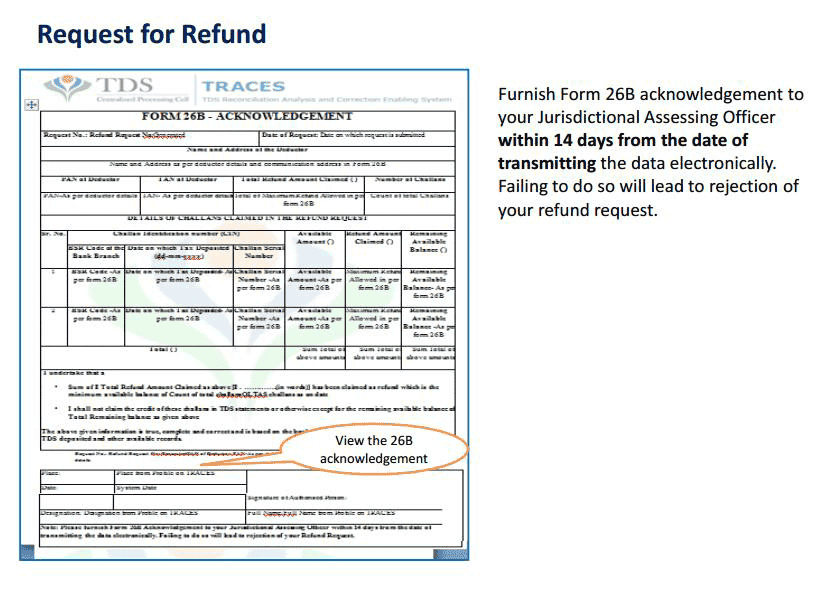
Step 9 : 26B has to be submitted within 14 days to the Assessing officer.
Step 10 : Request will be available under Track refund Request.
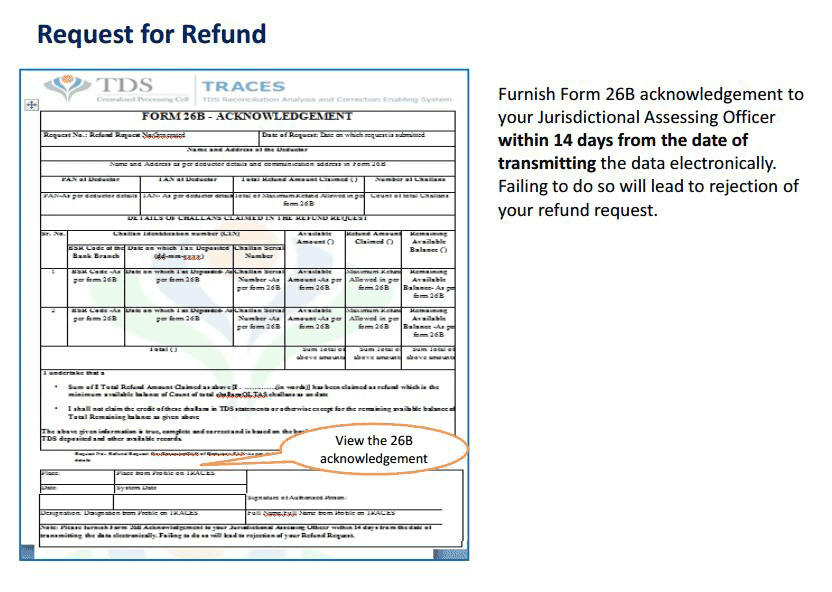
Step 11 : Under Track Refund Request select search Option 1 or Option 2 to view Refund Status with remarks.
Rejection of Refund request by AO : Some of the common rejection reasons are:
Request will be rejected by AO or Refund Banker in case Invalid Bank Details.
Request will be rejected in case change in available balance due to change in associated challan.
Request will be rejected in case open challan correction due to change in associated challan.
Request will be rejected in case force challan matching by AO due to change in associated challan.
Request will be rejected in case of Outstanding Demand.
CLARIFICATION ABOUT STATUS OF REQUEST OF REFUND AFTER SUBMITTING 26B (ACKNOWLEDGMENT OF REQUEST) TO A.O.
PENDING WITH AO TDS : Status will be Pending with A.O once the request is submitted for A.O Approval.
PENDING WITH TDS-CPC : Status will be pending with TDS CPC if request is approved by AO.
PENDING WITH REFUND BANKER: Status will be pending with Refund Banker if request is with Bank.
About Author


CA Deepak Gupta
Co Founder
 StudyCafe
 Delhi, Delhi, India
 3423
3423My Recent Articles
- UltraTech Cement slapped with Rs. 808.78 Cr Income Tax Demand
- GST: High Court upheld constitutional validity of Section 16(2)(c), asks government to address ITC issues of genuine purchasers
- Old vs New Tax Regime for Tax Year 2026-27
- High court criticizes Income Tax Department for not releasing ITR Utilities despite 11 years of directions
- Fino Payments Bank CEO Rishi Gupta Gets Bail in GST Case, Bank Clarifies No Direct Link
Loading suggestions…


Recent Posts


All Posts


Tags
No tags yet.
Recent Posts
All Posts
Tags
No tags yet.