Updating Job History on EPFO: Do You Need to Submit Documents?:
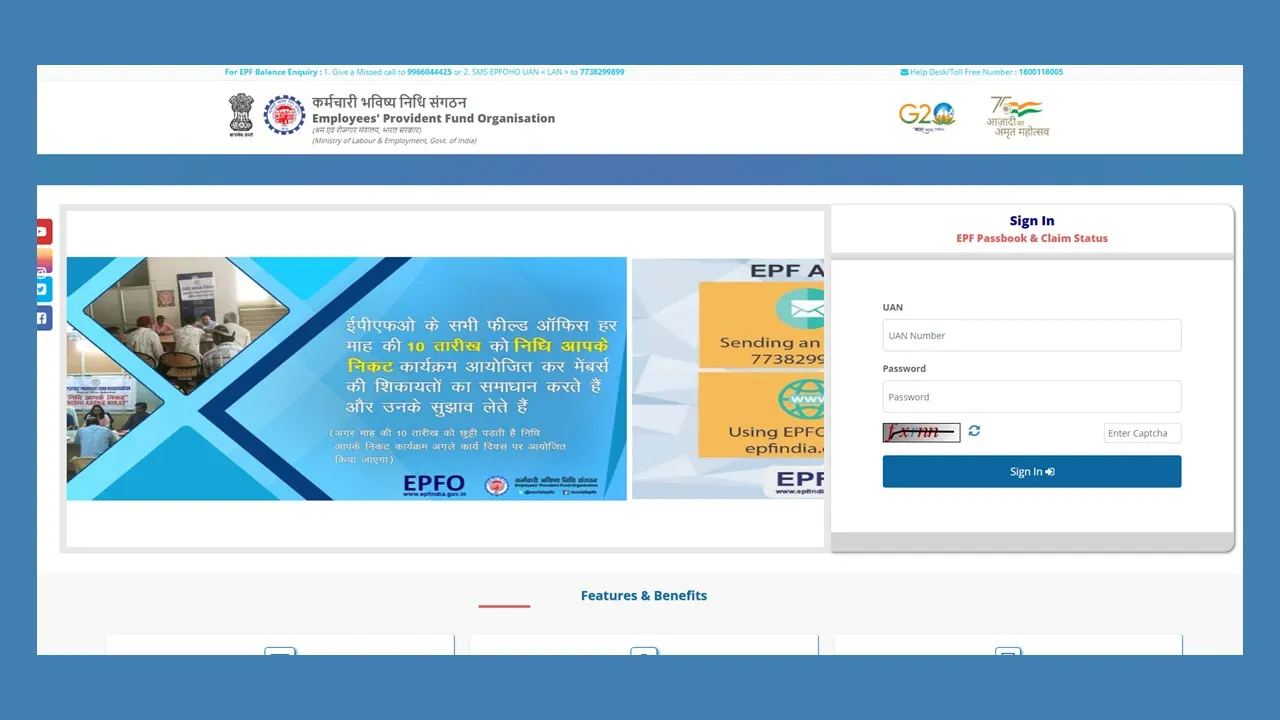
The EPFO has updated and simplified the procedure of updating service related information such as date of joining and leaving a job easier for the EPF enrolled members.
EPFO New and Easy Rules
 Shriya Mishra
 Jun 16, 2025
Table of Contents

Updating Job History on EPFO: Do You Need to Submit Documents?
The EPFO or Employees' Provident Fund Organisation has made the procedure of updating or rectifying personal and work-related information easy. If an employee is enrolled as an EPF member who wishes to update their employment history, which accounts for their joining and concluding dates of service in an organisation, such information can be easily updated or corrected with EPFO's more simplified rules.Uploading Documents Not Required
With the updated rules, the EPF members who have their Universal Account Number (UAN) validated via Aadhaar can now update their profile details, such as name, DOB, gender, parents' names, marital status, nationality, date of joining and date of leaving, without submitting any documents on the portal. As per the official social media account of the EPFO, "You can update your date of joining and leaving in your EPF account without needing to upload documents or get employer approval. EPFO puts the power in your hands."
You can update your date of joining and leaving in your EPF account without needing to upload documents or get employer approval. EPFO puts the power in your hands.#EPFOwithYou #EPFOmembers #HumHainNaa #EPFO #ईपीएफओ #EPF #ईपीएफ #EPS #ईपीएस #पीएफ #EaseOfService #EPFOSimplified… pic.twitter.com/KvFj1P4COF
— EPFO (@socialepfo) June 1, 2025
Members who are Required to Upload their Documents to Update their Date of Joining and Leaving
The members who had their UANs generated before October 1, 2017, the procedure varies a little for them. In this sort of case, the updation may require an employer certification, as the older UANs might not be Aadhaar validated.Procedure to Update the Date of Leaving in EPF
Previously, the EPF members were mandated to upload documents and avail their employer's permission in order to update their date of joining or leaving. But after following a recent modification, these updates can be directly made through the EPFO Portal without the need of obtaining employer approval (only for eligible members). Steps to update exit date on EPF Portal:- Step 1: Log in by entering the OTP sent to the registered mobile number.
- Step 2: Click on 'Mark Exit', available under the 'Manage Tab' (option visible only for the period of two months after leaving the job).
- Step 3: Opt for your employer/organisation from the drop-down menu.
- Step 4: Enter the date of leaving the job and tick the consent checkbox.
- Step 5: Now, click on 'Request OTP'. The OTP will be sent to your Aadhaar-registered mobile number.
- Step 6: After entering the OTP, click 'submit', and confirm the alert prompt to complete the procedure.
About Author


Shriya Mishra
Content Writer
Shriya writes engaging and easy-to-understand content on budgeting, mutual funds, insurance, income tax, GST, company law and financial planning. Her mission is to guide readers toward smarter money habits and long-term wealth creation. She can be reached at [email protected]
Shriya writes engaging and easy-to-understand content on budgeting, mutual funds, insurance, income tax, GST, company law and financial planning. Her mission is to guide readers toward smarter money habits and long-term wealth creation. She can be reached at [email protected]
 Studycafe
 Delhi, Delhi, India
 56
56My Recent Articles
- Income Tax Dept Breaks Silence: No Mass Scrutiny for Small Taxpayers
- GST Return Filing to Get Tougher from July 1: Major Changes You Must Know
- Tax Trouble for Delhivery: Rs. 1.36 Cr Penalty Order from Income Tax
- Canada to remove Digital Services Tax to Restart Trade Talks with US
- IEC Update Deadline Ends Today: Don't Miss Final Date to Avoid Penalties
Up Next
Loading suggestions…


Recent Posts


All Posts



Tags
Recent Posts
All Posts