Want to Pay Income Tax Online? Check These 5 Payment Methods:
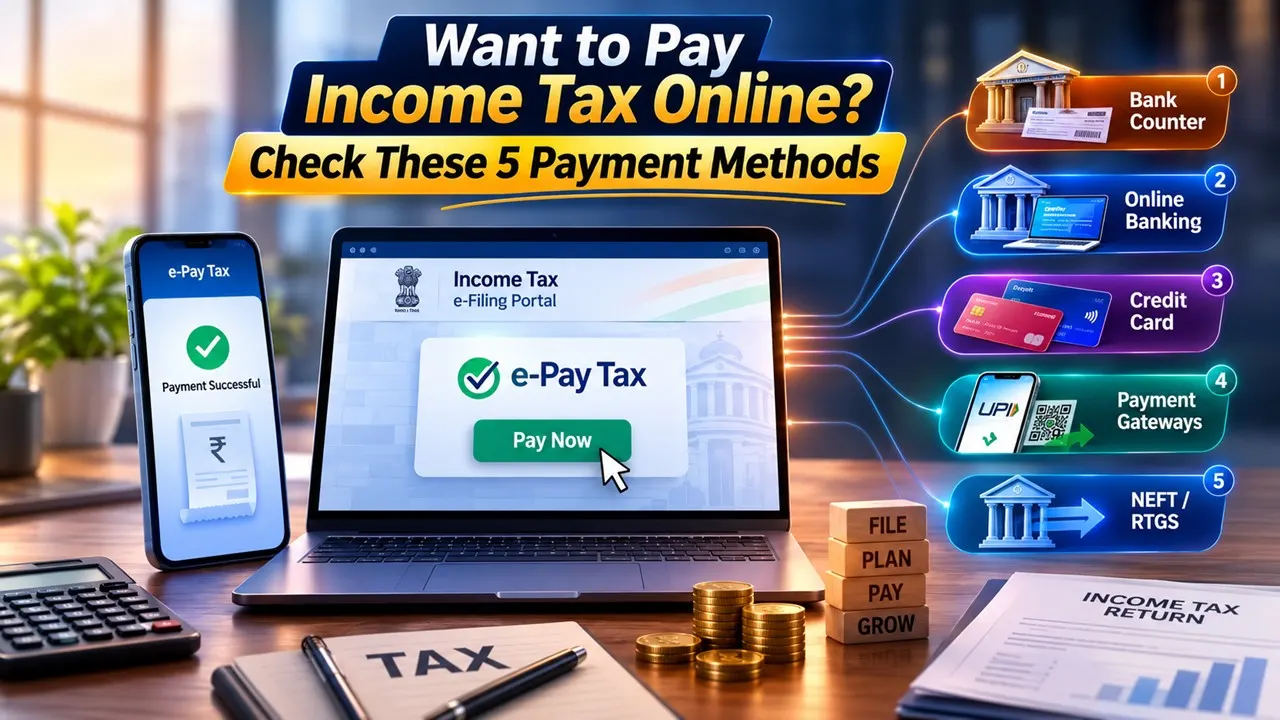
Taxpayers can pay advance tax, self-assessment tax and other direct taxes online through the IT Department’s e-Pay Tax facility using five convenient payment options.
Know 5 Ways to Pay Your Taxes Online
 Vanshika verma
 Jul 24, 2026
Table of Contents

Taxpayers who need to pay advance tax, self-assessment tax, tax demands or other direct taxes can make their payments online through the Income Tax Department's e-Pay Tax facility.
The facility is especially useful for taxpayers who find that they have additional tax to pay while filing their Income Tax Return (ITR), even after adjusting for TDS and other available tax credits. Taxpayers can choose from five different payment options based on their convenience.

What is e-Pay Tax?
e-Pay Tax is an online service available at Income Tax e-Filing portal. It is used by taxpayers to pay their direct taxes online.
Taxpayers can make a payment without logging in by verifying their PAN/TAN through a one time password (OTP) sent on their registered mobile number. The facility is also available to registered users after logging into the e-Filing portal.
After making the payment, taxpayers will be able to check the payment history and download challan receipts after logging into the portal.

The process of payment and modes of payment will be the same irrespective of whether the tax is paid under Income Tax Act, 1961 or Income Tax Act, 2025.
How to Pay Taxes Online
To make a tax payment, taxpayers should login to the Income Tax e-Filing portal and go to the e-Pay Tax tab. Accessible from the e-File menu for users who are logged in. The e-Pay Tax option is available for non-logged in users on the portal’s home page.
Then the taxpayers have to select the type of tax they want to pay, select the relevant assessment year or tax year, enter the required details and fill the tax amount under the correct tax heads. Then they will be able to choose the way they want to pay.
There are five options for paying.
1. Payment at Bank Counter
Taxpayers who wish to pay offline can generate a challan online and then visit their selected authorized bank branch to make the payment.
Payment may be made by cash/cheque/demand draft. After submitting the details online, the taxpayers need to print the challan and submit it at the selected bank branch.
But this option does not allow cash payments of more than Rs 10,000. No transaction charges are levied for tax payments made through the bank counter facility.
2. Online Banking
The taxpayers can make the payment of taxes through the net banking services of the banks authorized for the tax payment. Once the taxpayer has reviewed the details in the challan, he is directed to the bank’s internet banking website to make the payment.
Post successful payment, a challan receipt is generated and can be viewed under section of payment history.
3. Credit Card
Taxpayers can also use debit cards at participating banks. After confirming the payment details, they have to enter their card information and OTP on the payment page of the bank.
Once the transaction is successfully completed, the payment details and challan receipt are provided to the taxpayer.
4. Payment Gateways
The portal provides taxpayers the option of a host of digital payment options including credit cards, debit cards, UPI and net banking.
Once the tax details are confirmed, the taxpayers are redirected to the chosen payment gateway for the completion of the transaction. Transaction charges & applicable GST may be applicable. Final charges depend on the payment gateway or bank selected.
5. NEFT or RTGS
Taxpayers can also pay their taxes through RTGS or NEFT from any Bank. To avail of this facility, they have to first create a mandate form on the Income Tax portal.
After adding the beneficiary details given in mandate form, the taxpayer can go to a bank branch or use internet banking to move the money.
The payment is updated on the Income Tax e-Filing portal after the transaction is successfully processed.
About Author


Vanshika verma
Content Writer
 Studycafe
 Delhi, Delhi, India
 2120
2120My Recent Articles
- SEBI Warns Investors Against Fake WhatsApp Groups Offering Stock Tips, Trading Advice and False Profit Claims
- Indo Amines Limited Under GST Department Scrutiny as Maharashtra Tax Officials Initiate Search and Inspection at Registered Office
- Park Medi World Says Income Tax Department’s Verification at Company-Linked Premises Had No Impact on Operations or Expansion Plans
- Rajasthan Launches Statewide GST Crackdown, Uncovers Suspected Tax Irregularities Worth Rs 2.85 Crore
- Centre to Invite Public Feedback on Revised GST Return Forms From November 1, Aims to Reduce Errors and Tax Notices
Loading suggestions…


Recent Posts

All Posts
Tags
Recent Posts
All Posts