GSTN Update: LUT Filing for FY 2026-27 Now Live on GST Portal; Check Details and Step-by-Step Guide:
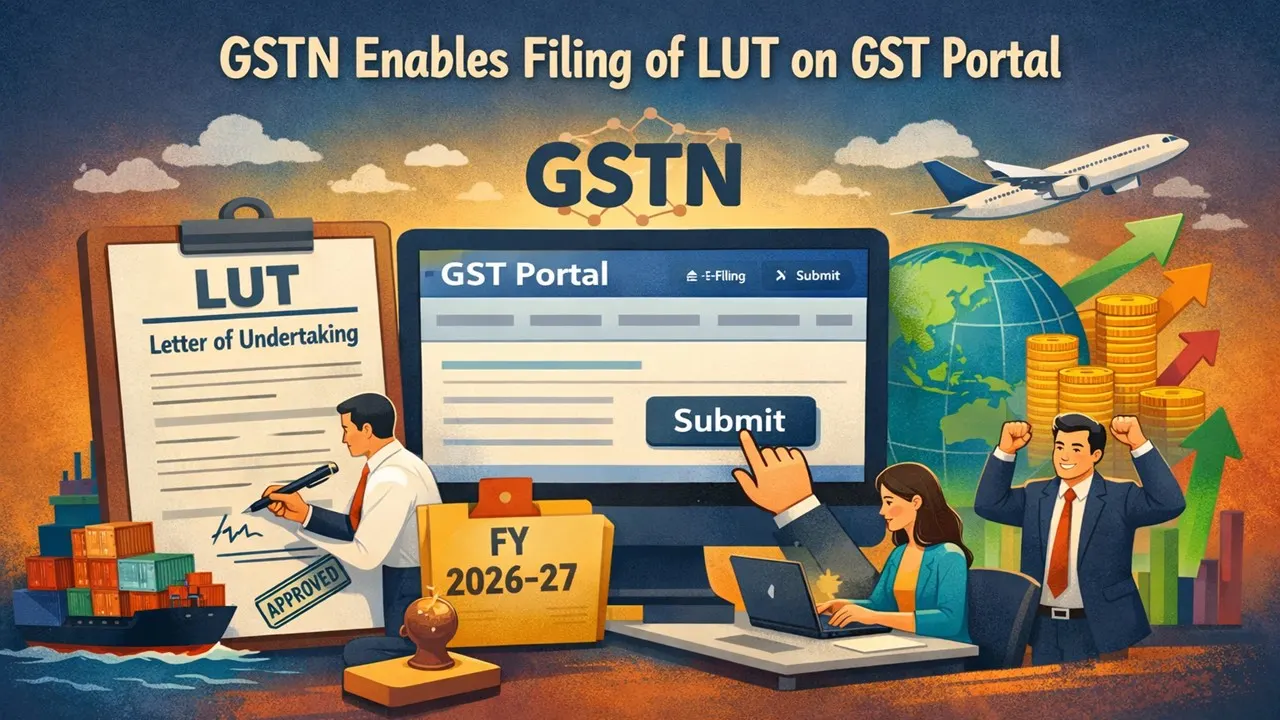
The Goods and Services Tax Network (GSTN) has now enabled the filing of Letter of Undertaking (LUT) on the GST Portal for the Financial Year 2026-27.
File Early to Avoid Last Minute Hustle and Inconvenience
 Saloni Kumari
 Feb 9, 2026
GSTN Update: LUT Filing for FY 2026-27 Now Live on GST Portal; Check Details and Step-by-Step Guide
The Goods and Services Tax Network (GSTN) has now enabled the filing of Letter of Undertaking (LUT) on the GST Portal for the Financial Year 2026-27 (Assessment Year 2027-28). The GST Department has added the option to select the relevant financial year, including 2025-26 and 2026-27, on the GST portal.
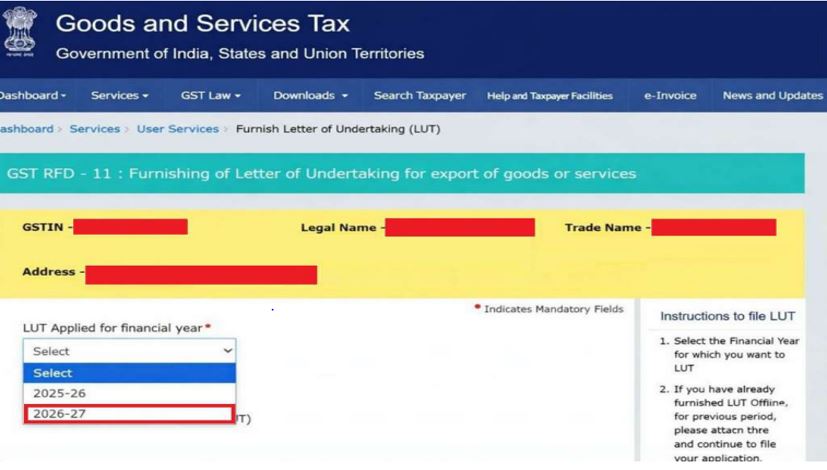 Taxpayers generating zero-rated supplies without payment of integrated tax are now eligible to furnish LUT by filling in Form GST RFD-11 for the upcoming financial year.
The GSTN has suggested all registered and eligible taxpayers finish filing LUT (Letter of Undertaking) for the Financial Year 2026-27 well in advance in order to avoid last-minute hustle and inconvenience.
Here are the simple steps following which taxpayers can file a Letter of Undertaking (LUT) for export of goods or services at the GST Portal:
Taxpayers generating zero-rated supplies without payment of integrated tax are now eligible to furnish LUT by filling in Form GST RFD-11 for the upcoming financial year.
The GSTN has suggested all registered and eligible taxpayers finish filing LUT (Letter of Undertaking) for the Financial Year 2026-27 well in advance in order to avoid last-minute hustle and inconvenience.
Here are the simple steps following which taxpayers can file a Letter of Undertaking (LUT) for export of goods or services at the GST Portal:
Taxpayers generating zero-rated supplies without payment of integrated tax are now eligible to furnish LUT by filling in Form GST RFD-11 for the upcoming financial year.
The GSTN has suggested all registered and eligible taxpayers finish filing LUT (Letter of Undertaking) for the Financial Year 2026-27 well in advance in order to avoid last-minute hustle and inconvenience.
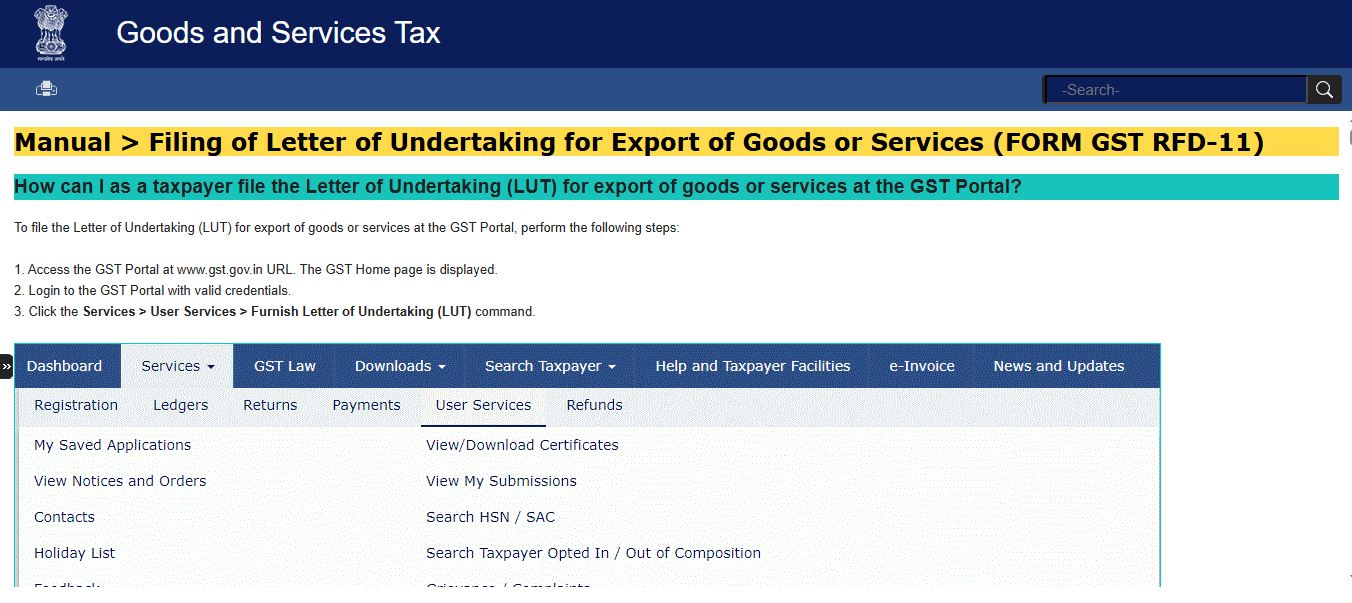
Here are the simple steps following which taxpayers can file a Letter of Undertaking (LUT) for export of goods or services at the GST Portal:
- Step 1. Visit the GST Portal at www.gst.gov.in.
- Step 2. Log in to the GST Portal with valid credentials.
- Step 3. Click the Services > User Services > Furnish Letter of Undertaking (LUT) command.
- Step 4. Form GST RFD-11 will be displayed on the screen. Select the financial year for which LUT is applied for from the LUT Applied for Financial Year drop-down list.
- Step 5. Fill in all the relevant information in the form.
- Step 6. In case you think you will need to leave the form in the middle, you can save the form and retrieve it later; click the SAVE button to save the form.
- Step 7. To retrieve the saved application later, you can navigate to Services > User Services > My Saved Applications.
- Step 8. Click the PREVIEW button to preview the form.
About Author


Saloni Kumari
Content Writer
Saloni is a Content Writer with 2+ years of experience at studycafe.in. She writes legal, taxation, and finance related content including GST, Income Tax etc. Skilled in translating complex judicial pronouncements and regulatory developments into clear, and reader-friendly articles. Experienced in covering judgements of ITAT, High Court, GSTAT, and news related to Income Tax, GST, and corporate law. She can be reached at [email protected].
Saloni is a Content Writer with 2+ years of experience at studycafe.in. She writes legal, taxation, and finance related content including GST, Income Tax etc. Skilled in translating complex judicial pronouncements and regulatory developments into clear, and reader-friendly articles. Experienced in covering judgements of ITAT, High Court, GSTAT, and news related to Income Tax, GST, and corporate law. She can be reached at [email protected].
 StudyCafe
 Delhi, Delhi, India
 2948
2948My Recent Articles
- Maharashtra Govt Eases Registration of Jointly Owned Land Sales, ‘KA’ Copy Can Replace Co-Owners’ NOC
- No Separate Section 69C Unexplained Expenditure Addition Allowed After Accepting Section 44AD Income Without Supporting Evidence: ITAT
- RBI Imposes Restrictions on Puducherry Co-operative Urban Bank for Six Months, Caps Cash Withdrawals at Rs 5,000
- ICAI Opens Application Window for Empanelment of Members to Act as Observer at CA January 2027 Exams
- ICAI CA Inter Sept 2026 Result OUT at caresults.icai.org, Check Steps to Download
Up Next
Loading suggestions…


Recent Posts



All Posts


Tags
Recent Posts
All Posts