Breaking: Income Tax Dept Releases ITR-U Excel Utilities for AY 2022-23:

The Income Tax Department has released ITR-U Excel Utilities for AY 2022-23, enabling taxpayers to file updated returns under the Finance Act, 2026.
ITR-U Excel Utilities Now Available
 Vanshika verma
 Jun 20, 2026
Table of Contents

Breaking: Income Tax Dept Releases ITR-U Excel Utilities for AY 2022-23
The Income Tax Department of India has released the Excel Utilities for filing Updated Returns (ITR-U) for ITR-1 to ITR-7 for AY 2022-23.
This update is based on the changes made under the Finance Act, 2026. It provides taxpayers an opportunity to correct mistakes, report any income missed out or modify the details in their tax returns for the Financial Year (FY) 2021-22.
Here's a quick overview of who can file each ITR form:
ITR-1: ITR-1 (Sahaj) is for resident individuals with total annual income up to Rs. 50 lakh.
ITR-2: ITR-2 is for individuals and Hindu Undivided Families (HUFs) who do not have business or professional income but have income above Rs.50 lakh, capital gains or foreign assets.
ITR-3: This form is applicable for people and HUFs who get income from business, profession, proprietorship or partner’s salary.
ITR-4: This is a simplified form for small businesses and professionals who opt for the presumptive taxation scheme and need not maintain detailed books of accounts.
ITR-5: This is the form for partnership firms, LLPs, associations and other non-individual business entities.
ITR-6: This form is for companies registered under the Companies Act except those claiming exemption for charitable or religious purposes.
ITR-7: This is the form of trusts, political parties and charitable institutions claiming tax exemptions under some provisions of the Income Tax Act.
How to Download
The following are the steps to download the ITR Excel Utility: 1. Go to the e-filing portal of Income Tax Department. 2. From the drop down list, choose the appropriate Assessment Year (AY). 3. Know which Income Tax Return form you have to fill (e.g. ITR-1 or ITR-4). 4. Click on the link for the Excel Utility, and download the zip file.About Author


Vanshika verma
Content Writer
Vanshika Verma is a Content Writer with 1+ year of experience at Studycafe.in. A B.Com graduate from Delhi University, She writes articles on Finance, Tax, ICAI, GST, and the latest financial news, with a focus on making complex topics easy for readers and professionals.
Vanshika Verma is a Content Writer with 1+ year of experience at Studycafe.in. A B.Com graduate from Delhi University, She writes articles on Finance, Tax, ICAI, GST, and the latest financial news, with a focus on making complex topics easy for readers and professionals.
 Studycafe
 Delhi, Delhi, India
 2168
2168My Recent Articles
- CBI Brings Mahadev Online Betting App Promoter Sourabh Chandrakar Back to India From Oman Following Extradition
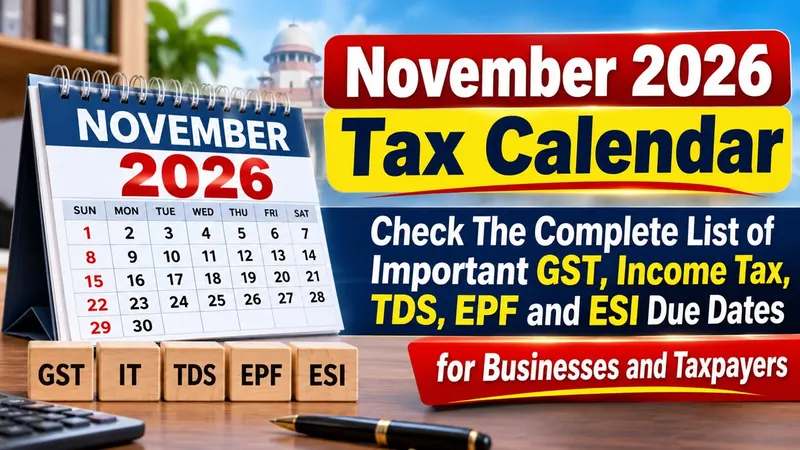
- November 2026 Tax Calendar: Check The Complete List of Important GST, Income Tax, TDS, EPF and ESI Due Dates for Businesses and Taxpayers
- Bihar CM Samrat Choudhary Urges Income Tax Payers and High Income Consumers to Voluntarily Give Up 125 Units of Free Electricity Benefit
- Customs Department Imposes Rs 1.06 Crore Duty, Fine and Penalty on LG Electronics India
- TRAI Imposes Rs 1.02 Lakh Penalty on Tata Teleservices Maharashtra for Failure to Curb Spam Calls and Messages
Up Next
Loading suggestions…


Recent Posts


All Posts


Recent Posts
All Posts