GSTN Releases Consolidated FAQs Resolving Queries Related to GSTR 9/9C Filing:
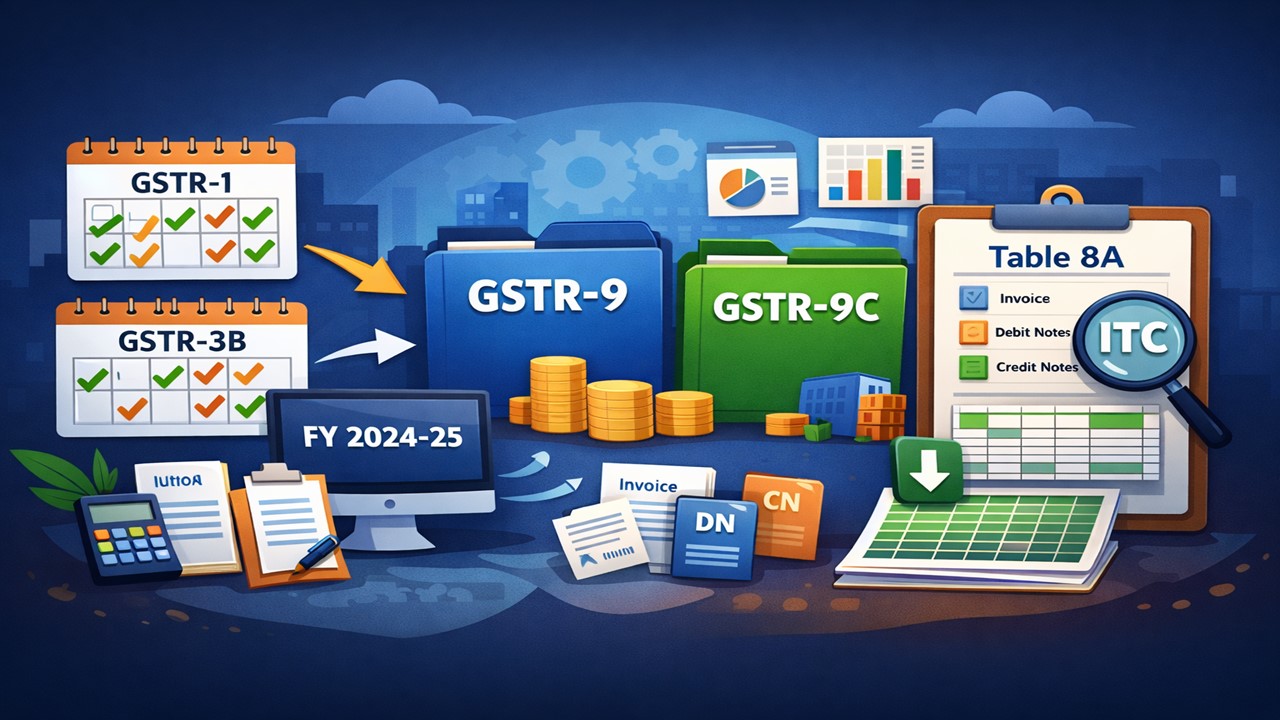
The Goods and Services Tax Network (GSTN) has issued consolidated FAQs resolving all the queries related to GSTR 9/9C filing for the AY 2025-26.
Know When GSTR 9/9C Will Be Enabled For FY 2024-25
 Vanshika verma
 Dec 18, 2025
GSTN Releases Consolidated FAQs Resolving Queries Related to GSTR 9/9C Filing
The Goods and Services Tax Network (GSTN) has issued consolidated FAQs (Frequently Asked Questions) resolving all the queries related to GSTR 9/9C filing for the Financial Year 2024-25 (Assessment Year 2025-26).
As per the released FAQs, for the financial year 2024-25, GSTR-9 and GSTR-9C will be enabled automatically on the GST portal only after all monthly or quarterly returns are filed. This means that every GSTR-1 and GSTR-3B for FY 2024-25 must be completely filed. Once this condition is met, the system itself activates GSTR-9/9C without any separate request from the taxpayer.
However, if even one GSTR-1 or GSTR-3B return for FY 2024-25 is pending, the annual return GSTR-9 will not be enabled. The reason is that most tables of GSTR-9, such as Tables 4, 5, 6, 8 and 9, are auto-populated by the system based on the data already filed in GSTR-1, GSTR-1A/IFF, GSTR-3B and GSTR-2B. Incomplete monthly returns mean incomplete annual data.
GSTR-9 depends entirely on the timely filing of regular returns, and Table 8A is a system-driven summary of ITC based strictly on GSTR-2B data for the relevant financial year. Taxpayers are therefore advised to ensure all returns are filed correctly and on time to avoid issues while filing their annual GST return.
From Financial Year 2024-25, the supplies added and amended through GSTR1A will also be treated with GSTR1 and IFF for auto-population in Tables 4 and 5 of GSTR9.
To make things easier for taxpayers, the GST portal now provides invoice-wise details of the amount auto-filled in Table 8A of GSTR-9. These details are available in the form of an Excel sheet on the GSTR-9 dashboard, named "Download Table 8A Document Details".
By downloading this Excel file, the taxpayer can clearly see the invoices, debit notes (DN), and credit notes (CN) on the basis of which the amount in Table 8A has been automatically populated. This helps the taxpayer to verify, cross-check, and understand how the auto-filled figures have been calculated, making return filing more transparent and simple.
Refer to the official PDF for complete information.
About Author


Vanshika verma
Content Writer
Vanshika Verma is a Content Writer with 1+ year of experience at Studycafe.in. A B.Com graduate from Delhi University, She writes articles on Finance, Tax, ICAI, GST, and the latest financial news, with a focus on making complex topics easy for readers and professionals.
Vanshika Verma is a Content Writer with 1+ year of experience at Studycafe.in. A B.Com graduate from Delhi University, She writes articles on Finance, Tax, ICAI, GST, and the latest financial news, with a focus on making complex topics easy for readers and professionals.
 Studycafe
 Delhi, Delhi, India
 2094
2094My Recent Articles
- NIIT Limited Discloses Income Tax Department’s Appeal Before Delhi ITAT, Says No Adverse Financial Impact Expected
- Fake WhatsApp Boss Dupes Company Accountant of Rs 40 Lakh; Surat Police Arrest Haryana Man in Cyber Fraud Case
- Uttarakhand Tax Department Detects Rs 2.5 Crore Tax Evasion at Ramnagar Resort
- GST Team Raid at Iron Trader’s Shop in Hathras Sparks Major Uproar as Traders Gather and Allegations of Assault Emerge
- CBI Arrests SFIO Deputy Director and Two Others Over Alleged Rs 1 Crore Bribe Demand in DHFL Scam Investigation
Up Next
Loading suggestions…


Recent Posts



All Posts


Tags
Recent Posts
All Posts