Paid Excess TDS of 5% instead of 2% on rent? Here is traces Tutorial to get back refund:
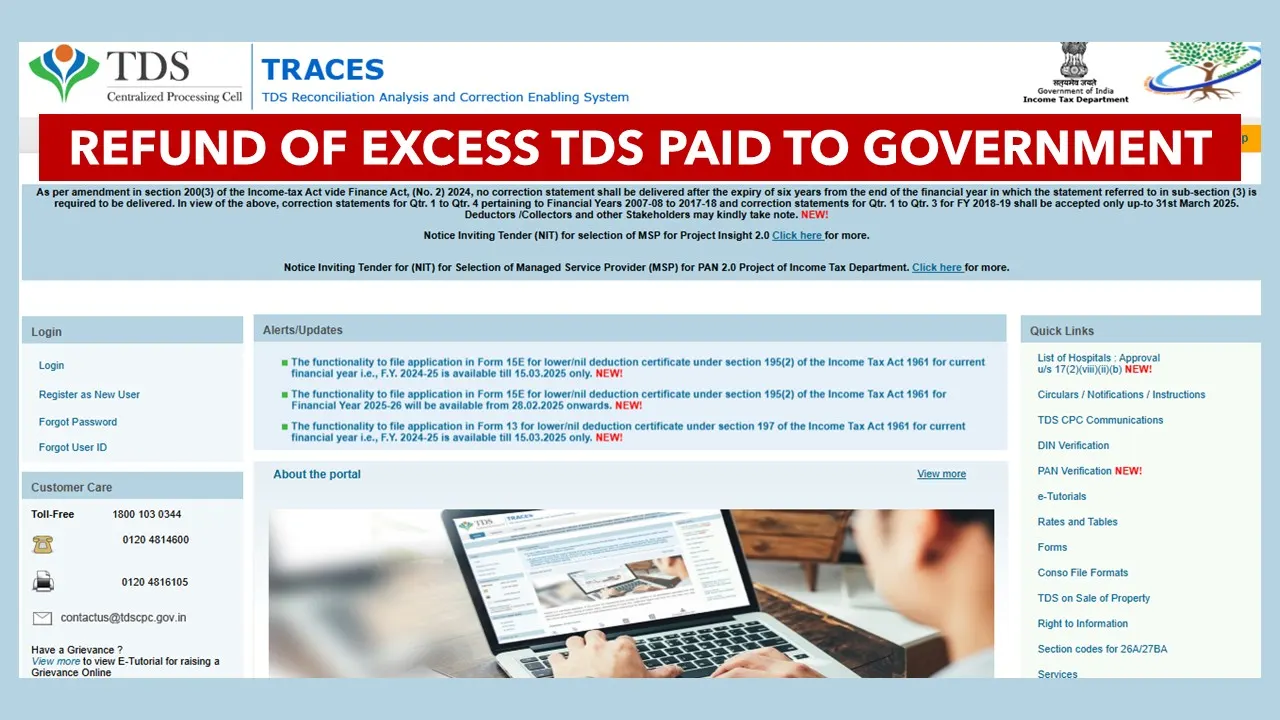
If you have Paid Excess TDS of 5% instead of 2% on rent while filing form 26QC Challan-cum-statement, you can get it back by filing Form 26B Available on the Traces Portal.
Refund of Excess TDS paid to government
 CA Pratibha Goyal
 Apr 25, 2025
How to get the refund of the excess TDS of 5% paid instead of 2% on rent
Individuals and HUFs making payment of monthly rent of more than 50,000 are required to deduct TDS u/s 194-IB. This TDS is paid in Form 26QC Challan-cum-statement. The same is required to be furnished by the tenant to deposit TDS on the payment of rent.
Now the Rate of TDS on the same is 2% w.e.f. from 1st October 2024. Earlier the same was 5%. Since the change came in the middle of Financial Year, many tenants were unaware of the same.
The Problem
Many Tenants have mistakenly deducted 5% TDS in Form 26QC instead of 2%, as the revised rate of 2% came into effect from 1st Oct 2024. However, despite deductors depositing 5% TDS, the deductees are receiving credit for only 2%. This these cases Form 26QC was filed allowing a 5% TDS deduction.
Now tenants have paid the TDS to the government, but same was not reflected as TDS Credit to the Landlord.
What to do in this case?
- Tenants can apply for TDS Refund for 3% Excess Tax in Form 26B Available on the Traces Portal.
About Author


CA Pratibha Goyal
Co Founder
CA Pratibha Goyal is Chartered Accountant qualified in 2016, is a Member of The Institute of Chartered Accountants of India having wide experience in the field of Auditing, Taxation, ROC, GST and Secretarial matters etc.
She has written over a thousand articles & has made several videos on topics related to Auditing & Taxation. As a Speaker she has delivered various sessions on various branches of NIRC of ICAI.
CA Pratibha Goyal is Chartered Accountant qualified in 2016, is a Member of The Institute of Chartered Accountants of India having wide experience in the field of Auditing, Taxation, ROC, GST and Secretarial matters etc.
She has written over a thousand articles & has made several videos on topics related to Auditing & Taxation. As a Speaker she has delivered various sessions on various branches of NIRC of ICAI.
 Studycafe
 New Delhi, Delhi, India
 1486
1486My Recent Articles
- Biggest Labour Reform in Indian History: 4 Labour Codes Effective from today
- Tax Audit and ITR Due date not extended in this case: Know More
- Government notifies Agreement and Protocol between India and Qatar [Read Notification]
- CA Breaking: Results of ICAI Examination to be announced soon, Know probable Date
- Breaking: GSTR-3B Due Date for September 2025 extended by CBIC amid Diwali Festivities
Up Next
Loading suggestions…


Recent Posts


All Posts



Tags
No tags yet.
Recent Posts
All Posts
Tags
No tags yet.